
CNC3D QB2 CNC Router User Guide


Running the Job
To do this you will need to home your machine. Once homed, loosen off your collet nut on
your spindle and insert a 6mm collet and the 22mm surfacing bit provided with your QB2
CNC (Spindle Option Only). Please ensure the surfacing bit is inserted quite high into the
collet but not all the way in. Once in, tighten the collet nut up.
Note: Extreme force is not required to tighten your collet nut. Just make sure it is secure.
If you ordered one, attach your dust shoe and vacuum hose at this time as well.
Get a marker and squiggle some lines all over your spoil board. This will allow you to tell if
the surface has been machined or not. See photo below of areas that were missed on our
first pass trying to surface the spoil board.
Using the jogging buttons in Commander, put a piece of scrap paper under the surfacing bit
and lower the Z down until it is just touching the paper. Ensure to reduce your downward
travel distance as you get closer to the surface to ensure the machine does not crash into
the spoil board.
QB2 Page 8
QB2 User and Maintenance Guide – Revised 28/09/2022

| General | Details |
|---|---|
| Name | CNC3D QB2 CNC Router User Guide |
| Make | CNC3D |
| Language | English |
| Filetype | PDF (Download) |
| File size | 1.11 MB |
 (1 votes, average: 5.00 out of 5)
 Loading...
If you have any questions regarding CNC3D QB2 CNC Router User Guide, please ask here and describe the problem in detail.


bond6 RGB Link Network Bonding Router User Manual

ASUS GT-AX6000 Dual-Band WiFi 6 Gaming Router User Guide

D-Link DIR-882 EXO AC2600 MU-MIMO Wifi Router Installation Guide

ADTRAN 1200824G1 Netvanta 3458 Access Router User Guide

GL iNet XE3000 MBPS M519 Portable Router User Manual

ASUS ZenWiFi XD5 AX3000 Dual Band WIFi Router User Guide

IQ WiFi 6 Router Installation Guide
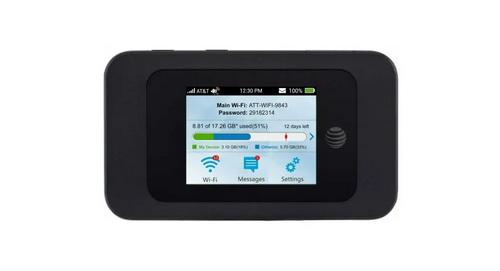
AT T MF985 Velocity 2 WiFi Hotspot Router Instruction Manual

casa systems NTC-500 AurusXT 5G IoT Router Instructions

Synology RT6600ax Router Installation Guide