
Datto DSE641T 2×2 WiFi 6 Router User Guide


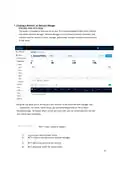
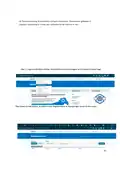
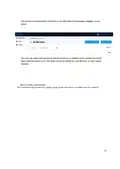

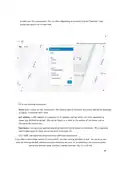
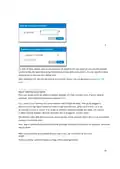








to enter your first access point. You can often (depending on location) click the “Satellite” view
button and zoom in for a closer look.
1
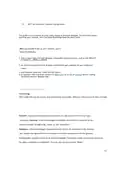
Fill in the following information:
Name: Enter a name for this access point. This name is used to reference its location and will be displayed
in reports. It does not affect users.
MAC address: A MAC address is a sequence of 12 numbers and the letters A-F often separated by
colons (Eg: 00:02:6F:8A:B2:6E). This can be found on a label on the bottom of the router and on
the side of the product box.
Description: You can enter optional descriptive text that will be shown on the reports. This is typically
used to keep notes on where the access point is installed, etc.
Click “Add” and repeat the process for each additional access point.
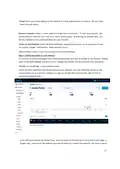
If you need to add a large number of access points, you may want to add them in bulk. You can do so two
ways: by entering the MAC addresses in a text field (one per line), or by uploading a list of access points
(along with optional name, location, channel overrides, etc.) in a CSV file.
18

| General | Details |
|---|---|
| Name | Datto DSE641T 2×2 WiFi 6 Router User Guide |
| Make | datto |
| Language | English |
| Filetype | PDF (Download) |
| File size | 0.7 MB |
 (1 votes, average: 5.00 out of 5)
 Loading...
If you have any questions regarding Datto DSE641T 2×2 WiFi 6 Router User Guide, please ask here and describe the problem in detail.


GRANDSTREAM GWN700x VPN Router User Guide

Singtel XGSPON Optical Network Router Installation Guide

POOLEX WIFI-LINK Outdoor Wifi Antenna and 4G Router Instruction Manual

Hongdian H8922 3G/4G Router User Guide

TP-Link Deco X50-PoE Router User Guide

D-Link DIR-X1860 AX1800 Mesh Wi-Fi 6 Router Installation Guide

Montersi ATE-G1CH 4G Router User Manual

ASUS ROG Rapture GT-BE19000 Wi-Fi 7 Tri Band Gaming Router User Guide

Wistron NeWeb XIONEWN Router User Manual

vantiva MGA5331 Unveils FWA Modem and Wi-Fi Router User Manual