
Datto DSE641T 2×2 WiFi 6 Router User Guide


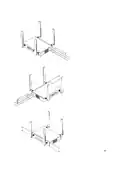
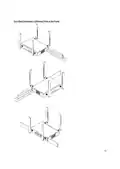









1. Place your gateway in the center of the network. For most devices, every time data
is transmitted over one repeater hop, it loses half its speed. A central gateway
minimizes the number of hops required.
2. Never go through more than three to four walls or floors.
3. Never go more than 50-150 feet (depending on building materials) between access
points.
4. Install no more than about five repeaters to every one gateway.
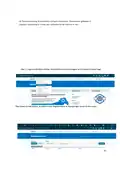
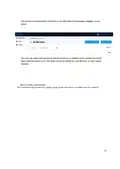
Once all access points are plugged in, you should see them turn green on the Network Manager Status
page in about 5 to 15 minutes. For more detailed information on planning and optimizing your network,
see the Network Planning Guide.
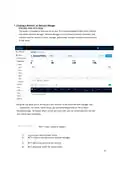
8. Configuring A Network
Your network should now be up and running, but there’s a lot we can do to customize
it to meet your specific needs. We’ll walk you through the most common settings here.
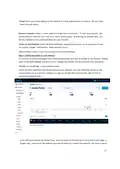
Configure > General Settings
The General Settings tab controls network-wide settings. This will be partially filled in
with the information you used to create the network.
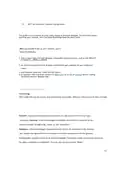
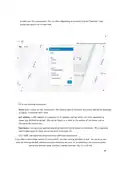
Location: This defaults to the first address you entered when setting up the network.
You can change it at any time. Note that the location only determines where your
access point appears on the map; radio settings will be based on the IP address of the
access point.
Network name: The login name for this network on the dashboard, and also the login
ID to access this network individually by a site administrator. This is NOT your master
login. This allows you to give access to only the network settings for that network
without allowing access to your master account.
Time Zone: Used in displaying the local time on reports.
AM/PM time: Used in displaying the local time on reports.
Display Name: Used to display a more descriptive name (other than the login ID) on
reports. Password: The administrator password for this network. Again, this is only for
this network and is not your master login password. It is also not the password your
users will use to connect to the network.
20

| General | Details |
|---|---|
| Name | Datto DSE641T 2×2 WiFi 6 Router User Guide |
| Make | datto |
| Language | English |
| Filetype | PDF (Download) |
| File size | 0.7 MB |
 (1 votes, average: 5.00 out of 5)
 Loading...
If you have any questions regarding Datto DSE641T 2×2 WiFi 6 Router User Guide, please ask here and describe the problem in detail.


prolink DL-7306 4G LTE Wireless Router Installation Guide

EE D412C57 4G Hub Dual Band Router User Guide

D-Link N300 4G Router User Guide

CaptionCall CR3 Pcs Modem And Router User Manual

Milesight UR75 UltraSeries Router User Guide

ESR C4DM-ADAE-C0S0CCLEH-HCv1 4G Hybrid Router Installation Guide

TELTONIKA OTD140 4G Outdoor Router User Guide

TP-Link Archer MR200 Wireless Dual Band 4G LTE Router User Guide

MERCUSYS BE3600 Dual-Band Wi-Fi 7 Router Installation Guide

WIND telecom Surf-i TD-LTE 4G Wireless Router User Manual