
Home > DIGITAL DEEP SEA > DIGITAL DEEP SEA 5G Xtream 5G/4G Router Instruction Manual
DIGITAL DEEP SEA 5G Xtream 5G/4G Router Instruction Manual


4. Configuration
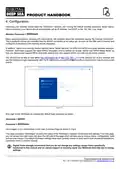
Assuming your wireless device sees the “5GXtream” network, join it using the default wireless password, shown below.
Once connected, your device should automatically get an IP address, via DHCP, in the 192.168.1.xxx range.
Wireless Password = 5GXtream
Many operating systems, including iOS and Android, will complain about the connection saying “No Internet Connection”.
This is perfectly normal and indicates that the 4G/5G connection is not setup yet. As soon as the SIM card is inserted and
configured (if necessary) this warning should disappear.
In addition, Apple have recently started warning about “Weak Security” on WPA and WPA2 encrypted wireless networks.
However, 5GXtream supports the latest WPA3 encryption and by default we enable “WPA2 and WPA3 Mixed Mode” so
that new devices that support WPA3 and older devices that only support WPA2 can both join the same network.
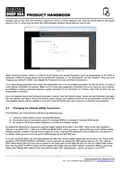
You should now be able to type either http://5GXtream.lan or http://192.168.1.1 in to the address bar of your browser and
see the 5GXtream login page appear (see Fig 8). Make sure you use the http:// pre-fix or your browser may try to do a web
search.
Figure 8
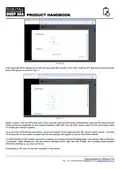
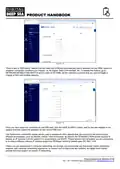
Now login to the 5GXtream by entering the default login password as below…
Username = admin
Password = 5GXtream
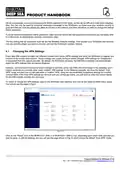
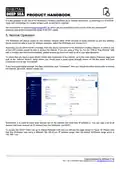
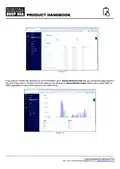
Once logged in you will be taken to the main Overview Page as shown in Fig.6.
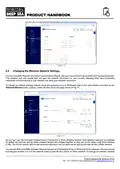
This page provides a “Dashboard” showing the status of the 5GXtream’s network connections and settings. From this page,
you can access the main menu bar down the left side of the page which will take you to various status, configuration, tools
and services menus. The default 5GXtream settings have been carefully chosen to work well in most situations/installations,
commonly found on marine vessels.
Digital Yacht strongly recommend that you do not change any settings except those specifically
mentioned in this manual and we cannot support or warranty repair any 5GXtream that fails due to wrong
settings
Product Handbook for 5GXtream V1.00

| General | Details |
|---|---|
| Name | DIGITAL DEEP SEA 5G Xtream 5G/4G Router Instruction Manual |
| Make | DIGITAL DEEP SEA |
| Language | English |
| Filetype | PDF (Download) |
| File size | 0.45 MB |
 (1 votes, average: 5.00 out of 5)
 Loading...
If you have any questions regarding DIGITAL DEEP SEA 5G Xtream 5G/4G Router Instruction Manual, please ask here and describe the problem in detail.


MetaBlox Roam MBMAX60 Wi-Fi 6 Active AC Router User Guide

TOSIBOX 175 Router User Guide

netgate 8200 Secure Router User Manual

ASUS RT-AX88U Pro AX6000 Dual Band Wi-Fi Router User Guide

TP-Link Archer BE900 Wi-Fi 7 Router User Manual

rock space RSD0616 AX1800 Wi-Fi 6 WiFi Router Installation Guide

NETGEAR RS300S Nighthawk Tri Band WiFi 7 Router Instructions
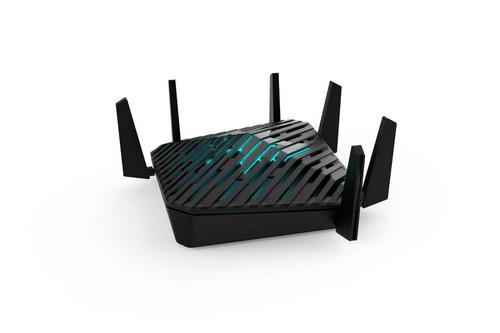
acer WA-36W12FU-AKAA 6E Predator Connect W6 Wi-Fi Router User Manual

GL-INET GL-AR300M Shadow Mini Router User Guide

ASUS RT-BE Series Dual Band Wi-Fi Router User Guide