
Home > DIGITAL DEEP SEA > DIGITAL DEEP SEA 5G Xtream 5G/4G Router Instruction Manual
DIGITAL DEEP SEA 5G Xtream 5G/4G Router Instruction Manual
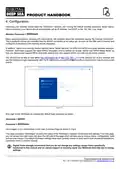
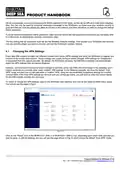
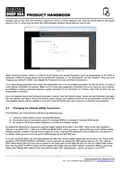
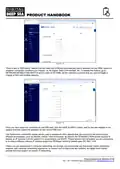


It is also possible to use one of the 5GXtream’s wireless interfaces as an Internet connection, by switching it to STATION
mode and connecting it to a public hotspot such as you find in marinas.
We recommend our optional Long Range WiFi kit which can be connected in place of one of the two internal WiFi
antennas and which increases the range of the WiFi signal.
5. Normal Operation
The 5GXtream will always create its own wireless network within 50-60 seconds of being powered up and any wireless
device should be able to scan for wireless networks, select the 5GXtream and connect to it.
Assuming you are within 5G/4G coverage, then any device connected to the 5GXtream wireless network, or wired to one
of the LAN sockets should be able to access the internet. If you are using a “Pay As You Go” SIM or “Pay Monthly” SIM
with a monthly data limit (recommended), please ensure you have not used up all of your data allowance.
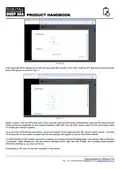
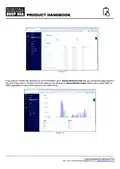
To check that you have a good 5G/4G mobile data connection to the internet, go to the main Status>Overview page and
look at the “Internal Modem” panel where you should have a good signal strength shown on the Bar meter and Data
Connection should say “Connected”.
If you have good signal strength, the Data Connection says “Connected”, then you should be online and be able to browse
the internet, get email, stream movies, etc.
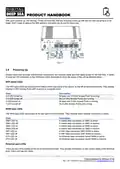
Figure 17
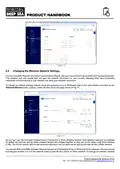
Sometimes, it is useful to know what devices are on the network and what their IP address is. You can view a list of all
devices that have received an IP Address from the 5GXtream via DHCP.
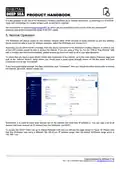
To access the DHCP Client List, go to Status>Network>LAN and you will see the page shown in Figure 18. Please note
that this 5GXtream was using a different 192.168.42.xxx IP address range, than the default 5GXtream range which is
192.168.1.xxx.
Product Handbook for 5GXtream V1.00

| General | Details |
|---|---|
| Name | DIGITAL DEEP SEA 5G Xtream 5G/4G Router Instruction Manual |
| Make | DIGITAL DEEP SEA |
| Language | English |
| Filetype | PDF (Download) |
| File size | 0.45 MB |
 (1 votes, average: 5.00 out of 5)
 Loading...
If you have any questions regarding DIGITAL DEEP SEA 5G Xtream 5G/4G Router Instruction Manual, please ask here and describe the problem in detail.


ASUS ExpertWiFi EBG15 Gigabit VPN Router User Guide

TP-Link BE11000 Tri Band Wi-Fi 7 Gaming Router User Guide

Spectrum 20240729 WiFi 6E Router User Guide

LITE-ON WPXE8326 Wi-Fi 6E Access Point Mesh Router User Manual
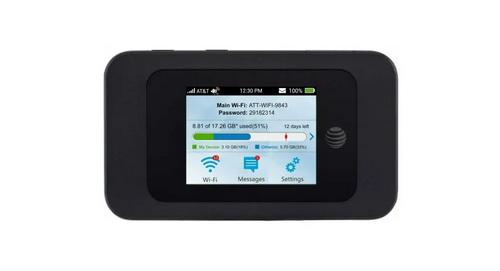
AT T MF985 Velocity 2 WiFi Hotspot Router Instruction Manual

NETGEAR NIGHTHAWK RS Series Dual Band Wi-Fi 7 Router Instruction Manual
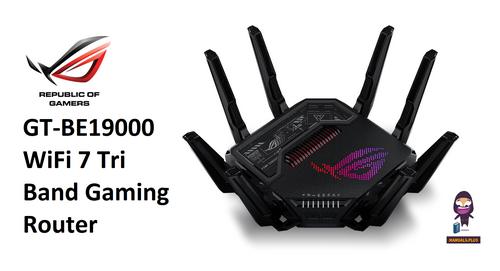
REPUBLIC OF GAMERS GT-BE19000 WiFi 7 Tri Band Gaming Router User Guide

TP-Link TL-WR3002X Wi-Fi 6 Portable Router Installation Guide

ASKEY RT5035W Google Fiber Wi-Fi 6E Router User Guide

Cudy RT02 Router Installation Guide