
TRUEFIT BAC-5051A E Airflow Measurement System Router User Guide


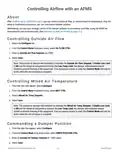


Leave Auto Start Delta Temp set to the default, or adjust it if needed.
2.
3.
Leave Time Between Samples (Seconds) set to the default, or adjust it if needed.
For Auto Learn Enable, select ON.
4.
5.
Select Save.
Alternative to Running Learning Mode
While not ideal, the damper characterization data can be calculated and entered manually. This should only be done
if — in the allotted time for setting up the AFMS — the ΔT is unlikely to remain greater than the Min Delta Temp for
the duration of Learning Mode. See Manually Entering Damper Characterization Data on page 15 for
guidance.
AFMS BAC-5051(A)E Router AG
10
AG230818A

| General | Details |
|---|---|
| Name | TRUEFIT BAC-5051A E Airflow Measurement System Router User Guide |
| Make | TRUEFIT |
| Language | English |
| Filetype | PDF (Download) |
| File size | 0.2 MB |
 (1 votes, average: 5.00 out of 5)
 Loading...
If you have any questions regarding TRUEFIT BAC-5051A E Airflow Measurement System Router User Guide, please ask here and describe the problem in detail.


Ibex-RT-630-5G Series EN 50155 5G and WLAN Router User Manual

ASUS RP-AX56 Dual Band Wireless Router User Guide

CRAFTSMAN 315.25031 Heavy Duty Router User Manual

ZTE MC888 Ultra 5G Router Instruction Manual

JENSEN Air:Link 3000DG Dual Band Router User Manual

CSG F219 5G Wi-Fi 6 Router User Guide

HALNY HLE-3GM Router Installation Guide

TP-Link BE550 Tri Band WiFi 7 Router Installation Guide

ASUS TUF-AX6000 Dual Band WiFi Router User Guide

NETGEAR R6700AX Wi-Fi 6 Router Instructions