
TRUEFIT BAC-5051A E Airflow Measurement System Router User Guide


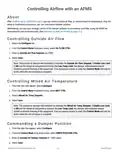


Calibrating the AFMS's Sensors
Select the Tune tab.
1.
2.
Under Offset for Supply Air Flow, enter the CFM offset (determined by a TAB technician) for the supply air
pressure transducer.
Under Multiplier for Supply Air Flow, enter the multiplier (determined by a TAB technician) for the supply air
pressure transducer.
3.
4.
5.
Under Offset for Outside Air Temp, Return Air Temp, and Mixed Air Temp, enter the °F offsets (determined
by a TAB technician) for the outside, return, and mixed air temperature sensors.
Select Save.
Continue to Running AFMS Learning Mode on page 8.
AFMS BAC-5051(A)E Router AG
7
AG230818A

| General | Details |
|---|---|
| Name | TRUEFIT BAC-5051A E Airflow Measurement System Router User Guide |
| Make | TRUEFIT |
| Language | English |
| Filetype | PDF (Download) |
| File size | 0.2 MB |
 (1 votes, average: 5.00 out of 5)
 Loading...
If you have any questions regarding TRUEFIT BAC-5051A E Airflow Measurement System Router User Guide, please ask here and describe the problem in detail.


NRadio Technologies C2000 4G LTE Router Installation Guide

ExpressVPN AXG1800 Travel Router Instruction Manual

deco X50 Modem Unboxing Router User Guide

TELTONIKA Networks RUT951 4G LTE Router User Guide

D-Link M32 AX3200 Mesh Router Installation Guide

FLEX FX4221 24V Trim Router Instruction Manual

TP-Link C5400X Wireless Router Installation Guide

JuniPer Cloud-Ready SSR1500 Session Router User Guide

ASUS GT-AX6000 Dual-Band WiFi 6 Gaming Router User Guide

DrayTek Vigor2763 VDSL2 Security Router User Guide