
COBALT WAVE RTR-64×64 Router User Manual







2
Initial WAVE RTR-64x64 Configuration
Initial WAVE RTR-64x64 Configuration
To set the IP address for the first time must set the dip switches located on the
front of the router. To configure the router:
1. Gently remove the plastic bezel from the router to view the label.
The label above is a sample label. The information on your label will contain
a different serial number, MAC address, and values.
2. Set the dip switches to one of the factory forced IP addresses. Reboot the
router.
3. Open a browser on your computer and type in the factory IP address you
chose with the dip switches.
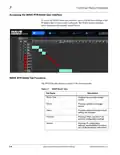
4. Press ENTER. The WAVES Router Interface is displayed. The following
screen displays an example of the router table already
configured.
2-2
WAVE 64X64-RTR ROUTER PRODUCT MANUAL
WAVE RTR-64x64-OM (V1.1)

| General | Details |
|---|---|
| Name | COBALT WAVE RTR-64×64 Router User Manual |
| Make | worCOBALT |
| Language | English |
| Filetype | PDF (Download) |
| File size | 1.03 MB |
 (1 votes, average: 5.00 out of 5)
 Loading...
If you have any questions regarding COBALT WAVE RTR-64×64 Router User Manual, please ask here and describe the problem in detail.


robustel R3000 Lite Dual-SIM VPN Router User Manual

NETGEAR BE9300 Nighthawk WiFi 7 Tri-Band Router Owner’s Manual

FALCON 150 Mbps 4G LTE Portable Router User Manual

D-Link DWR-960 Wi-Fi Router Instruction Manual

ASUS RT-AC86U AC2900 WiFi Gaming Router User Guide

NETGEAR Nighthawk AX6 6-Stream WiFi Router User Guide

TELTONIKA Networks TCR100 4G WiFi Router User Guide

Cudy WR1300 AC1200 Gigabit Dual Band Wi-Fi Router Installation Guide

sunhans eSunFi SHFiEL40 eSIM 4G Portable Router User Manual

MOXA TN-4900 Series Gigabit Security Router Owner’s Manual