
COBALT WAVE RTR-64×64 Router User Manual







Operating Instructions
Control and Display Descriptions
Salvos Tab
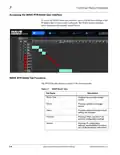
The Salvos tab provides options to create a new salvo. Salvos can be created
either manually or using the most recently existing salvo. To create a new
salvo, perform on of the following:
New Blank Route
1. Click New Salvo. A blank salvo is added to the end of the list with a label
of “UNNAMED” in the Name field.
2. Provide the desired name in the Name field.
3. Click Add Route and select the desired Source input and Destination
output from the pull-down menus.
4. Repeat this step for each route you want to add.
5. To delete a route, click x under the Source input field you want to delete.
6. Click the Expand/Collapse button to close the route list.
WAVE RTR-64x64-OM (V1.1)
WAVE 64X64-RTR ROUTER PRODUCT MANUAL
3-7

| General | Details |
|---|---|
| Name | COBALT WAVE RTR-64×64 Router User Manual |
| Make | worCOBALT |
| Language | English |
| Filetype | PDF (Download) |
| File size | 1.03 MB |
 (1 votes, average: 5.00 out of 5)
 Loading...
If you have any questions regarding COBALT WAVE RTR-64×64 Router User Manual, please ask here and describe the problem in detail.


tehnoteka AX3000 V2 TUF Gaming WiFi Router User Guide

Acer W6 Predator Connect W6x Dual Band Wi-Fi 6 Router User Manual

D-Link DPN-BE7212GR Wi-Fi 7 Router Instruction Manual

TP-Link Archer AX12 Dual Band WiFi 6 Router Installation Guide

TUBBUTEC TRS Bridge 4×4 TRS Midi Router User Guide

TRANSLITE GLOBAL TL-HWR-13 Dual Band Wireless Router Owner’s Manual

LITE-ON WPXE8326 Wi-Fi 6E Access Point Mesh Router User Manual

TP-Link Omada ER605 Gigabit VPN Router User Guide

MOFI5500 AdvancedHigh Performance Router User Manual

JUniPer MX304 Universal Router User Guide