
COBALT WAVE RTR-64×64 Router User Manual







Installation and Setup
Initial WAVE RTR-64x64 Configuration
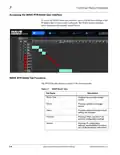
5. Click the Settings tab and then expand the IP Settings section to display
the factory IP address you selected with the DIP switches.
6. If desired, obtain a static address from your System Administrator and
change the dip switch settings to IP User Selectable. Edit the settings in
the WAVE Routers user interface to set the static address as needed for
your environment.
7. Reboot the router any time the DIP switch settings are changed.
WAVE RTR-64x64-OM (V1.1)
WAVE 64X64-RTR ROUTER PRODUCT MANUAL
2-3

| General | Details |
|---|---|
| Name | COBALT WAVE RTR-64×64 Router User Manual |
| Make | worCOBALT |
| Language | English |
| Filetype | PDF (Download) |
| File size | 1.03 MB |
 (1 votes, average: 5.00 out of 5)
 Loading...
If you have any questions regarding COBALT WAVE RTR-64×64 Router User Manual, please ask here and describe the problem in detail.


GRANDSTREAM GWN7062 Dual-band WiFi 6 Router Installation Guide

TP-Link Archer AX12 Dual Band Wi-Fi 6 Router Installation Guide

LINKSYS E2500 Dual Band Router User Guide

eero Outdoor 7 Dual Band Mesh Wi-fi Router Installation Guide

ZTE MF920U 4G MiFi Modem Router User Guide

JUNIPer SSR120 Session Smart Router User Guide

STARLINK Router Installation Guide

VIRTUAL ACCESS GW1000M Series Router User Manual

eero V010001 Router User Guide

FIRSTNUM CPE C1 WiFi Router User Manual