
COBALT WAVE RTR-64×64 Router User Manual







3
Control and Display Descriptions
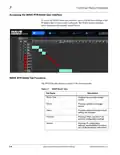
Accessing the WAVE RTR-64x64 User Interface
To access the WAVE router user interface, open a web browser and type in the
IP address that was previously configured. The WAVE Routers interface
opens displaying the currently loaded Salvos.
WAVE RTR-64x64 Tab Functions
The WAVE Router interface consists of the following tabs:
Table 3-1
WAVE Router Tabs
Tab Name
Description
Router Table
Displays the currently loaded
routes.
Salvos
Provides options to manage
salvos.
Status
Provides status information when
setting are changed.
Protocols
Settings
Provides PESA and SW-P-08
protocol configuration settings.
Provides IP configuration
settings, administration functions,
and product/software information.
3-4
WAVE 64X64-RTR ROUTER PRODUCT MANUAL
WAVE RTR-64x64-OM (V1.1)

| General | Details |
|---|---|
| Name | COBALT WAVE RTR-64×64 Router User Manual |
| Make | worCOBALT |
| Language | English |
| Filetype | PDF (Download) |
| File size | 1.03 MB |
 (1 votes, average: 5.00 out of 5)
 Loading...
If you have any questions regarding COBALT WAVE RTR-64×64 Router User Manual, please ask here and describe the problem in detail.


TP-Link 5G AX1800 Wireless Dual-Band Gigabit Router Installation Guide

Tenda AXE5700 Smart Wi-Fi 6E Router User Manual

robustel R2000 Dual SIM Cellular VPN Router Instruction Manual

TP-Link AX21 Wi-Fi 6 Router Installation Guide

ASUS ET12 ZenWiFi Pro AXE11000 Tri Band Router User Guide

LINOVISION IOT-R32W Cellular Router User Manual

TELTONIKA Networks RUT955 Router Installation Guide

TP-Link AC1200 Dual Band Wi-Fi Router Installation Guide

HNK RAX1810 Wi-Fi Router User Manual

LANCOM 884 VoIP Router User Guide