
COBALT WAVE RTR-64×64 Router User Manual







3
Control and Display Descriptions
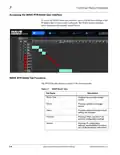
Current Status
By default, the Current Status field displays the current status. Clicking
anywhere within the Current Status field expands the field to display the
status. Outstanding issues with the unit, if any, are displayed. If no issues
exist, the following message is displayed.
Any time a change is made (such as creating a new Pesa Panel) or an event
occurs (such as triggering a salvo), the Status tab provides an indicator that a
change or event has occurred. The indicator badge is displayed above the
Status tab. Clicking anywhere within the Current Status field expands the
field to display a description of the event that occurred.
3-10
WAVE 64X64-RTR ROUTER PRODUCT MANUAL
WAVE RTR-64x64-OM (V1.1)

| General | Details |
|---|---|
| Name | COBALT WAVE RTR-64×64 Router User Manual |
| Make | worCOBALT |
| Language | English |
| Filetype | PDF (Download) |
| File size | 1.03 MB |
 (1 votes, average: 5.00 out of 5)
 Loading...
If you have any questions regarding COBALT WAVE RTR-64×64 Router User Manual, please ask here and describe the problem in detail.


NETGEAR NIGHTHAWK RS Series Dual Band Wi-Fi 7 Router Instruction Manual

KEENETIC KN-3911 Mesh Wi-Fi 6 Multi-Gigabit Router User Guide

prolink DL-7306 4G LTE Wireless Router Installation Guide

NETGEAR AX1800 WiFi 6 Router User Guide

NETGEAR RS100 Wi-Fi 7 Router Instructions

inseego FG2000e PRO 5G Router User Guide

mikrotik RB750UPr2 hEX PoE Lite is a Router User Guide

DrayTek Vigor2766 Series Fast Security Router User Guide

LANCOM 884 VoIP Router User Guide

JuniPer ACX7024 Cloud Metro Router User Guide