
Home > DIGITAL YACHT > Digital Yacht NeXuX Connect WiFi Router Installation Guide
Digital Yacht NeXuX Connect WiFi Router Installation Guide








3.2
Mounting the 4G LTE Dual Antenna
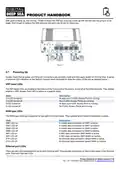
The external 4G LTE antenna (see Fig 4) is actually two high gain antennas in one
compact enclosure. The two 7m coax cables that exit at the base of the unit, are
terminated in SMA connectors that screw into the two large N-Type 4G connectors,
using the N-Type to SMA adaptors (supplied) on the NeXuX Connect main unit –
they can be connected either way round.
The external LTE antenna can either be flush mounted to a bulkhead (horizontal or
vertical), pole mounted or screwed on to a standard 1”x14TPI mount such as those
used for VHF/GPS antennas.
If you wish to flush mount the antenna (NOTE - bulkhead must be no thicker than
12.5mm) then it is necessary to cut a Ø28mm diameter hole in the bulkhead. The
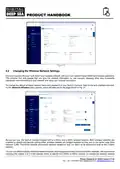
antenna is supplied with a mounting nut and rubber gasket (see Fig 5) and once the
cables are inserted through the bulkhead (and through the mounting nut), tighten the
mounting nut to hold the antenna in place (do not over tighten the nut – torque must
be <6Nm).
Figure 4
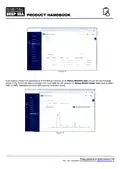
The antenna is also supplied with a plastic pole mount adaptor and stainless
1”x14TPI thread mount adaptor (see Fig 6). The pole mount adaptor screws on to
the base of the antenna, in place of the mounting nut and can be used to mount the
antenna on a 42mm outside diameter pole. Once the antenna is fitted to the pole,
secure it using the two grub screws.
Figure 5
If you wish to mount the external LTE antenna on a standard 1”x14TPI VHF/GPS
mount (not supplied), fully insert the stainless adaptor in to the plastic pole mount
adaptor and secure it with the two grub screws. Now screw the antenna on to the
mount.
Figure 6
Dimensioned Drawing
Product Handbook for NeXuX Connect V1.00

| General | Details |
|---|---|
| Name | Digital Yacht NeXuX Connect WiFi Router Installation Guide |
| Make | DIGITAL YACHT |
| Language | English |
| Filetype | PDF (Download) |
| File size | 0.3 MB |
 (1 votes, average: 5.00 out of 5)
 Loading...
If you have any questions regarding Digital Yacht NeXuX Connect WiFi Router Installation Guide, please ask here and describe the problem in detail.

DIGITAL YACHT 4GXtream NMEA 2000 3G or 4G Router Instruction Manual

DIGITAL YACHT 4GXtream NMEA 0183 3G or 4G Router Instruction Manual

DIGITAL YACHT Littoral Link 4G Router Instruction Manual


Mercury Fritz Box 7360 Fibre Modem Router User Guide

H3C Magic NX30 WLAN Wireless Router User Guide

TELTONIKA RUTM30 Compact 5G Router User Guide

Tenda RX12 Pro Wi-Fi 6 6E Router Installation Guide

Spectrum MAX2V1K WiFi 6E MDU Router User Guide

DrayTek Vigor2927 Dual WAN Security Router User Guide

MERCUSYS AC12G Wireless Router Installation Guide

SENWA 4G LTE CPE Router User Guide

Harvilon MT6833 5G Portable Wi-Fi Hotspot Esim Router User Guide

Helmholz LTE11 Router Owner’s Manual