
Home > DIGITAL YACHT > Digital Yacht NeXuX Connect WiFi Router Installation Guide
Digital Yacht NeXuX Connect WiFi Router Installation Guide


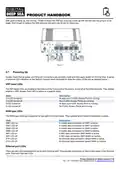






Orange - 10/100 Mbps connection
Green - 1000 Mbps connection
Below is an explanation of the behaviour of the green and orange LEDs.
State
Description
LED on
A data connection on the port is operational (cable plugged in, end device visible, no data is
being transferred).
LED off
No data connection on the port is operational (no cable, bad cable or end device not visible
for some other reason (such as damaged network card)).
LED blinking
Connection established and data is being transferred over this port.
Mobile network type LEDs
The mobile network type LEDs are located near the SIM card slot. They display which type of Internet connection is active.
Action
Description
3G LED turned on
4G LED turned on
3G blinking
Device is connected to a 3G network.
Device is connected to a 4G network.
Device is connected to a 3G network but hasn't received an IP
address.
4G blinking
Device is connected to a 4G network but hasn't received an IP
address.
3G & 4G LEDs blinking at the same time every 500 ms No SIM card or incorrect PIN.
3G & 4G LEDs turns on and off in a sequence one after The device is attempting to connect to a mobile network
the other
operator.
Mobile signal strength indication LEDs
The mobile signal strength indication LEDs are located near the SIM card slot. The number of lit up LEDs represents a
different mobile signal strength (RSSI) value in dBm.
No. of lit up LEDS
Signal strength
≤ -111 dBm
0
1
2
3
4
5
-110 dBm to -97 dBm
-96 dBm to -82 dBm
-81 dBm -67 dBm
-66 dBm to -52 dBm
≥ -51 dBm
In many cases the NeXuX Connect will be installed behind a bulkhead or inside a locker, making it difficult to see the status
of the unit. However, under normal circumstances after power is applied, the “NeXuX Connect” wireless network (SSID)
should appear within 50-60 seconds.
If after 60 seconds, you scan for wireless networks and cannot see “NeXuX Connect”, it will be necessary to gain access
to the unit to check the status LEDs and to contact Digital Yacht support by email support@digitalyacht.co.uk
Product Handbook for NeXuX Connect V1.00

| General | Details |
|---|---|
| Name | Digital Yacht NeXuX Connect WiFi Router Installation Guide |
| Make | DIGITAL YACHT |
| Language | English |
| Filetype | PDF (Download) |
| File size | 0.3 MB |
 (1 votes, average: 5.00 out of 5)
 Loading...
If you have any questions regarding Digital Yacht NeXuX Connect WiFi Router Installation Guide, please ask here and describe the problem in detail.

DIGITAL YACHT 4GXtream NMEA 2000 3G or 4G Router Instruction Manual

DIGITAL YACHT 4GXtream NMEA 0183 3G or 4G Router Instruction Manual

DIGITAL YACHT Littoral Link 4G Router Instruction Manual


CISCO cBR Series Converged Broadband Router User Guide

Verizon GT784 Gateway Router User Guide

NETGEAR RS600 Nighthawk Wi-Fi 7 Tri-Band Router Owner’s Manual

TELTONIKA RUTM31 Router User Guide

TP-Link ER605W Omada AC1350 Gigabit VPN Router Installation Guide

Cudy WR3000SE AX3000 Gigabit Mesh Wi-Fi 6 Router Owner’s Manual

UTR-231 Starlink Router User Manual

Tenda 4G06 N300 WiFi 4G VoLTE Router Installation Guide

TOTOLINK X2000R AX1500 Wireless Dual Band Gigabit Router Installation Guide

Ridgid R860443 18-VOLT CORDLESS COMPACT ROUTER User Guide