
Home > DIGITAL YACHT > Digital Yacht NeXuX Connect WiFi Router Installation Guide
Digital Yacht NeXuX Connect WiFi Router Installation Guide


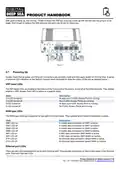


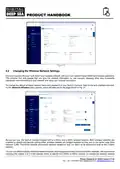


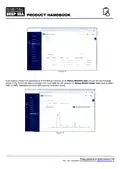


SIM, gold contacts up, into the tray. Finally re-insert the SIM tray ensuring it lines up with the slot and not going in at an
angle. Don’t forget to replace the SIM extractor tool back into its slot for future use.
Figure 7
3.7
Powering Up
Double check that all power and Ethernet connections are correctly made and then apply power for the first time. A series
of external LED indicators on the NeXuX Connect which illuminate to show the status of the unit as detailed below….
WiFi band LEDs
The WiFi band LEDs are located at the bottom of the front panel of the device, to the left of the Ethernet ports. They display
whether a WiFi Access Point (AP) is active on a specific band.
State
Description
2.4 LED turned on.
2.4 LED turned off
5 LED turned on
5 LED turned off
At least one 2.4 GHz Access Point is running.
No 2.4 GHz Access Points are running.
At least one 5 GHz Access Point is running.
No 5 GHz Access Points are running.
WAN type LEDs
The WAN type LEDs are located at the top-right of the front panel. They indicate which Internet connection is active.
State
Description
SIM1 LED on
SIM1 LED off
SIM2 LED on
SIM2 LED off
WiFi LED on
WiFi LED off
ETH LED on
ETH LED off
A mobile data connection on SIM1 is active.
A mobile data connection on SIM1 is inactive.
A mobile data connection on SIM2 is active.
A mobile data connection on SIM2 is inactive.
A WiFi data connection (WiFi WAN) is active.
A WiFi data connection (WiFi WAN) is inactive.
An Ethernet data connection (wired WAN) is active.
An Ethernet data connection (wired WAN) is inactive.
Ethernet port LEDs
There are two LEDs located at the top of each Ethernet port. They provide information on the current states of the Ethernet
ports. Each port has two LEDs:
Product Handbook for NeXuX Connect V1.00

| General | Details |
|---|---|
| Name | Digital Yacht NeXuX Connect WiFi Router Installation Guide |
| Make | DIGITAL YACHT |
| Language | English |
| Filetype | PDF (Download) |
| File size | 0.3 MB |
 (1 votes, average: 5.00 out of 5)
 Loading...

DIGITAL YACHT 4GXtream NMEA 2000 3G or 4G Router Instruction Manual

DIGITAL YACHT 4GXtream NMEA 0183 3G or 4G Router Instruction Manual

DIGITAL YACHT Littoral Link 4G Router Instruction Manual


TP-Link ER7206 V2 Omada Gigabit VPN Router User Guide

RV WI-FI 2024 V3 DishyDock Router User Manual

TP-Link Archer GE650, GE550 Wi-Fi 7 Gaming Router User Guide

ASUS GT-AX6000 Dual-Band WiFi 6 Gaming Router User Guide

Cisco Router RV345 / RV345P User Guide

NETGEAR N150 Wireless Router Installation Guide

ASUS DSL-N12U 11N 300MBps Wireless ADSL Modem Router User Guide

eero Max 7 Mesh Wifi Router Owner’s Manual

TELTONIKA RUT850 E-mark approved LTE Router User Guide

DrayTek Vigor2927ac Dual WAN Security Router User Guide