
GEWISS GW A9707 KNX/IP Router Installation Guide








3.2 Display elements
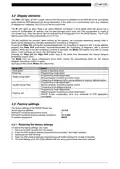
The KNX LED lights up with a green colour when the device is powered via the KNX BUS line, and flashes
green while the KNX telegrams are being transmitted. In the event of a communication error (e.g. repetition
of telegrams or collisions), the LED turns red for a short time.
The IP LED lights up when there is an active Ethernet connection; it turns green when the device has a
correct IP configuration (IP address, Sub net and Gateway) and it turns red if the configuration is invalid or
non-existent (e.g. when the device has not received the IP configuration from the DHCP server). The IP LED
flashes green when there is data traffic on the IP line.
The test purposes (for example, when starting up the system), the configured forwarding settings (filter or
block) can by bypassed by manually activating the forwarding of telegrams.
Pressing the Pass GA push-button activates/deactivates the forwarding of telegrams with a group address;
pressing the Pass PhA push-button activates/deactivates the forwarding of telegrams with a physical
address. When one of the two forwarding functions is activated, the Mode LED flashes once with an orange
colour; if both functions are active, the LED flashes twice.
Pressing the Pass GA and Pass PhA button keys at the same time deactivates the manual telegram
forwarding function (Esc).
The Mode LED can signal configuration errors when neither the programming mode nor the manual
telegram forwarding function is active.
Summary of the various Mode LED indications:
Mode LED
Fixed green
Fixed red
Event
Device in operating mode
Programming mode active
Programming mode deactivated.
Single orange flash
Double orange flash
Flashing red
Manual telegram forwarding function active.
Forwarding of telegrams with a group address or physical address active
Programming mode deactivated.
Manual telegram forwarding function active.
Forwarding of all telegrams active
Programming mode deactivated.
Manual telegram forwarding function deactivated.
KNX/IP Router configuration error (e.g. download of ETS application
interrupted).
3.3 Factory settings
The factory settings of the KNX/IP Router are:
Device physical address:
KNXnet/IP tunnelling connections active:
KNXnet/IP tunnelling physical address connection:
IP address assignment:
15.15.0
1
15.15.250
DHCP
3.3.1 Restoring the factory settings
To restore the factory settings, you must:
1. Remove the KNX terminal from the device
2. Press the KNX physical address programming push-button, and keep it pressed
3. Reconnect the KNX terminal
4. Keep the KNX physical address programming push-button pressed for at least 6 seconds
5. The brief flashing of all the LEDs indicates that the factory parameters have been restored
6

| General | Details |
|---|---|
| Name | GEWISS GW A9707 KNX/IP Router Installation Guide |
| Make | GEWiSS |
| Language | English |
| Filetype | PDF (Download) |
| File size | 0.38 MB |
 (1 votes, average: 5.00 out of 5)
 Loading...
If you have any questions regarding GEWISS GW A9707 KNX/IP Router Installation Guide, please ask here and describe the problem in detail.


eero N010001 AX1800 Dual Band Mesh WiFi 6 Router User Manual

Cudy RT02 Router Installation Guide

ASUS DSL-N66U Dual Band Wi-Fi ADSL VDSL Modem Router User Manual

ZYXEL FWA505 Nebula Router User Guide

UniFi WiFi 6 Router User Manual

STAR COMMUNICATIONS GigaSpire Blast u6.2 WiFi Router Instructions

TP-Link Archer MR500 AC1200 Wireless Dual Band Gigabit Router User Guide

TP-Link ER706W Omada AC1350 Gigabit VPN Router Installation Guide

Milesight UR32S CCTV Router Owner’s Manual

TP-Link AX3000 Dual Band Gigabit WiFi 6 Router Installation Guide