
GEWISS GW A9707 KNX/IP Router Installation Guide








5 ETS Database
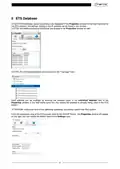
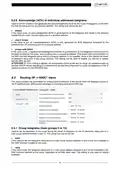
In the ETS4/5 database, certain parameters are displayed in the Properties window (in the right-hand part of
the ETS window); the settings relating to the IP address can be found in this window.
In ETS4, the additional physical addresses are located in the Properties window as well.
In ETS5, the individual addresses are displayed in the “Topology” view.
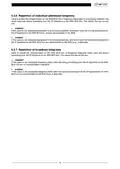
Each address can be modified by entering the required value in the Individual Address field of the
Properties window; if the field frame turns red, this means the address is already being used in the ETS
project.
ATTENTION: make sure none of the additional addresses are already used in the KNX system.
From the topological view of the ETS project, click on the KNX/IP Router - the Properties window will appear
on the right; you can modify the device name in the Settings card.
8

| General | Details |
|---|---|
| Name | GEWISS GW A9707 KNX/IP Router Installation Guide |
| Make | GEWiSS |
| Language | English |
| Filetype | PDF (Download) |
| File size | 0.38 MB |
 (1 votes, average: 5.00 out of 5)
 Loading...
If you have any questions regarding GEWISS GW A9707 KNX/IP Router Installation Guide, please ask here and describe the problem in detail.


netgate 8200 Secure Router User Manual

GL iNet AX1800 Slate AX Wireless Router User Manual

Milesight UR32S CCTV Router Owner’s Manual

TRUEFIT BAC-5051A E Airflow Measurement System Router User Guide

Tenda HG Series xPON ONT Network Router Installation Guide

RV Wi-Fi 2024v1 DishyDock Router User Guide

OptConnect neo2 dura 4 Multi Carrier Cellular Router User Guide

hyperoptic EX3301 Hyperhub Router Instruction Manual

ATEL RE600 5G CPE Router User Guide

Harvilon MF302 4G LTE Wi-Fi Router User Guide