
GEWISS GW A9707 KNX/IP Router Installation Guide








4 Interface settings with ETS
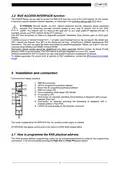
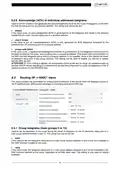
In ETS, the KNX interfaces can be selected and set directly from the menu
- Bus Interfaces in ETS5
- Settings Communication in ETS4
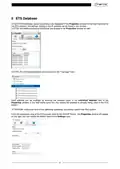
ETS can communicate with the KNX/IP Routers even if the relative ETS database has not been imported; if
the KNX/IP Router settings are not compatible with the configuration of the KNX system, the device must be
configured within the KNX project (see ETS Database).
The IP address is automatically assigned via DHCP in the factory, and no further settings are required. In
order to work properly, there must be a DHCP server installed on the LAN network (many DSL routers have
a built-in DHCP server).
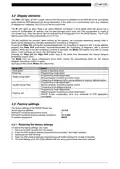
Once the device has been connected to the KNX BUS and the LAN network, it should automatically be
visualised in ETS5, in the Bus Interfaces menu (or Settings Communication in ETS4), under the
Discovered Interfaces item, (or Discovered connections in ETS4).
Click on the interface to select it and use it as the current one. The right-hand part of the ETS window shows
information about the router and the connection.
The name of the KNX/IP Router and its physical address (Host Individual Address) can be modified within
the ETS project.
To act as an interface, the device has additional physical addresses that can be set via ETS (version 4.2 or
higher). The KNX telegrams that a client (e.g. ETS) sends via the KNX/IP Router use one of the additional
router addresses as their sender's address. A connection is associated with each address; in this way, any
reply telegrams can be transmitted to the relative clients.
The additional physical addresses must not be already in use by other KNX devices, and they must belong
to the same KNX line on which the device is installed.
Example:
Physical address of the device 1.1.10 (address in the ETS project)
Connection 1
Connection 2
Connection 3
Connection 4
Connection 5
1.1.250 (1st individual address)
1.1.251 (2nd individual address)
1.1.252 (3rd individual address)
1.1.253 (4th individual address)
1.1.254 (5th individual address)
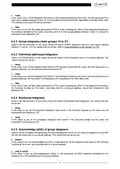
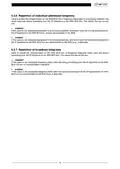
The Individual Address field of ETS5 is used to modify the KNX physical address of the KNXnet/IP
connection currently being used. To check whether the physical address that you want to set is being used
by another device in the KNX system, press the Address free? push-button.
The physical address of the device, and the additional physical addresses, can be modified within the ETS
project once the device has been inserted in the project.
7

| General | Details |
|---|---|
| Name | GEWISS GW A9707 KNX/IP Router Installation Guide |
| Make | GEWiSS |
| Language | English |
| Filetype | PDF (Download) |
| File size | 0.38 MB |
 (1 votes, average: 5.00 out of 5)
 Loading...
If you have any questions regarding GEWISS GW A9707 KNX/IP Router Installation Guide, please ask here and describe the problem in detail.


Woodpeckers Multi Router Instruction Manual

YiOBYiOR 300Mbps U8 Wireless WiFi Repeater Range Extender Router Installation Guide

ATEL WB550 5G Fixed Wireless Access Router User Guide

Cudy WR1500 WiFi 6 Trådløs Router Installation Guide

Bauer 23121E-B Variable Speed Compact Router Owner’s Manual

Tenda MF6V1.0 4G LTE Mobile Wi-Fi Router Installation Guide

legrand RT-20 Router User Guide

NETGEAR BR200 Insight Managed Router Installation Guide

CONNECTIZE G6 AC2100 Dual Band Gigabit WiFi Router Installation Guide

DRAPER PT1202VSF 1200W 230V Variable Speed Router Instruction Manual