
Home > GRANDSTREAM > GRANDSTREAM HT812 Analog FXS IP Gateway 2 Port + NAT Router User Guide
GRANDSTREAM HT812 Analog FXS IP Gateway 2 Port + NAT Router User Guide


Default value is 120 hrs (5 days). The length of time the IP address is assigned to the LAN
DMZ IP
This function forwards all WAN IP traffic to a specific IP address if no matching port is used
by HT812/HT814 or in the defined port forwarding.
Forwards a matching (TCP/UDP) port to a specific LAN IP address with a specific
(TCP/UDP) port. Up to 8 rules are available.
Port Forwarding
Gives the administrator the option to restore default configuration on the HT801/HT802.
There are 3 types of factory reset:
● ISP Data Reset: All ISP (Internet Service Provider) configuration which may affect the IP
address will be reseted (including WAN static IP).
Reset Type
● VOIP Data Reset: All VoIP related configuration (mainly everything located on FXS
page).
● Full Reset: Both VoIP and ISP related configuration at the same time.
Note: After you choose the reset type, you must click the reset button to take effect.
Table 7: Basic Settings Page
Advanced Settings Page Definitions
Defines the administrator level password to access the Advanced Web Configuration page. This
field is case sensitive. Only the administrator can configure the “Advanced Settings” page.
Password field is purposely left blank for security reasons after clicking update and saved.
Note : The new Password must contain 8-20 characters, at least one number, one uppercase, and a
lowercase letter. Purposely not displayed for security reasons
New Admin Password
Confirm Admin Password
Confirms the new admin password.
Disable User Level Web Access
Disable Viewer Level Web Access
Disable or enable User Level Web Access. Default is No.
Disable or enable Viewer Level Web Access Default is No.
Sets values for 802.1Q/VLAN Tag. Default is 0. Valid range is 0-4094.
SIP 802.1p. Default is 0. Valid range is 0-7.
Layer 2 QoS
RTP 802.1p. Default is 0. Valid range is 0-7.
It could be either port range or single port separated by a “,”
Example: “5000-6000, 7000 “.
Blacklist for WAN Side Port
STUN Server is
Configures IP address or domain name of STUN server. Only non-symmetric NAT routers work
with STUN.
Sends periodically a blank UDP packet to SIP server to keep the “ping hole” on the NAT router
open. Default is 20 seconds.
Keep-alive interval
Uses STUN keep-alive to detect WAN side network problems. If keep-alive request does not yield
any response for configured number of times (minimum 3), the device will restart the TCP/IP
stack.
Use STUN to detect network
connectivity
If the STUN server does not respond when the device boots up, the feature is disabled.
Default setting is No.
Uses DNS to detect WAN side network problems.
Default setting is “No”.
Use DNS to detect network
connectivity
Uses ARP to check the network connectivity.
Default is “Yes”.
Use ARP to detect network
connectivity
Verify host when using HTTPS
Upgrade via
Enables / disables the host verification when using HTTPS.
Selects firmware upgrade/provisioning method: TFTP, HTTP, HTTPS, FTP or FTPS. Default is
HTTPS.
Configures whether or not to upgrade to a new Gen-2 certificate,
It is set to no upgrade by Default.
Provision and upgrade to new Gen-
2 certificate
Sets IP address or FQDN of firmware server. The URL of the server that hosts the firmware
release.
Firmware Server Path
Note: You can specify the protocol used in the Firmware Server Path. (example:
Default is fm.grandstream.com/gs.
Sets IP address or FQDN of configuration server. The URL of the server that hosts the
configuration file to provision HT8xx.
Config Server Path
Note: You can specify the protocol used in the Config Server Path. (example:
https://192.168.5.120), this will bypass the "Upgrade Via" method.
Default is fm.grandstream.com/gs.
Decrypts XML configuration file when encrypted. The password used for encrypting the XML
configuration file using OpenSSL.
XML Config File Password
HTTP/HTTPS FTP/FTPS
Username
Enters username to authenticate with HTTP/HTTPS FTP/FTPS server.

| General | Details |
|---|---|
| Name | GRANDSTREAM HT812 Analog FXS IP Gateway 2 Port + NAT Router User Guide |
| Make | GRANDSTREAM |
| Language | English |
| Filetype | PDF (Download) |
| File size | MB |
 (1 votes, average: 5.00 out of 5)
 Loading...
If you have any questions regarding GRANDSTREAM HT812 Analog FXS IP Gateway 2 Port + NAT Router User Guide, please ask here and describe the problem in detail.

GRANDSTREAM GWN7062E Wi-Fi 6 Router Instruction Manual

GRANDSTREAM GWN7052F Dual Band Wi-Fi Router Installation Guide

GRANDSTREAM GWN7062 Dual-band WiFi 6 Router Installation Guide

GRANDSTREAM HT812 Powerful 2 Port ATA with Gigabit NAT Router User Guide

GRANDSTREAM GWN700x VPN Router User Guide


Tenda 4G185 4G/3G Portable Mobile Hotspot Router User Guide

Wi-Tek WI-R3 1200Mbps Dual-Band Wireless Mesh Router with PoE Passthrough Installation Guide

LUXUL ABR-5000 Epic 5 Gigabit Router User Guide

DrayTek V4.3.2.5 Vigor1000B Multi WAN Security Router User Guide

LINOVISION IOT-R32 Wholesale Rugged and Versatile Cellular Router User Guide
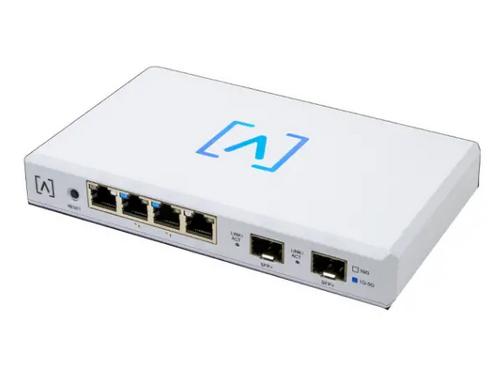
ALTA LABS ROUTE10 High Performance 10 Gbps Router User Guide

TP-Link BE450 Dual Band Wi-Fi 7 Router Installation Guide

HUAWEI Router User Guide

IQ WiFi 6 Router Installation Guide

ASUS EBR63 Wireless AX3000 Dual Band Router User Guide