
Home > intwine connected > intwine connected ICG-150 Gateway 150 Cellular Router User Guide
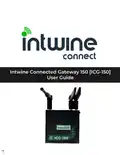
intwine connected ICG-150 Gateway 150 Cellular Router User Guide




ICG-150 USER GUIDE
Automatic Cellular Failover
By default, the ICG-150 is configured to use Cellular as the WAN connecton anytme the
Ethernet WAN port is unable to reach the Internet (specifically 8.8.8.8).
These setngs can be changed by hovering over Network and selectng Link Backup.
To disable the backup functonality uncheck the Enable box. The mode is set to Hot Failover by
default. This means that the cellular connecton is maintained in the "connected" state but
data is not routed over it untl required. This dramatcally increases the speed at which the
automatc failover occurs. To determine if the primary WAN is up, the system will ping the
ICMP Detecton Server (default of 8.8.8.8) periodically (default of 5 seconds).
Port Forwarding
To configure the ICG-150 to forward ports from a WAN to LAN device hover over Firewall and
select Port Mapping
To modify an existng rule simply click on the rule and change the desired fields. To add a new
rule press the Add buton on the far right of the page.
The specifics of the individual fields are:
●
Enable: this checkbox allows the user to specifiy if the rule is enabled or disabled.
●
Proto: the protocol of the packet to forward. Optons are TCP, UDP, or TCP and UDP
●
Source: this allows users to select the source IP address that will be forwarded. A value of
0.0.0.0/0 means every source IP will be forwarded. If you want to limit the forwarding rule
to a specific IP address then you would use something like 30.0.0.1/32
●
Service Port: the inbound port number
●
Internal Address: the IP address of the system to which the packet is to be forwarded. In
general this should be the IP of a device with either a Statc IP or a Statc DHCP lease.
●
Internal Port: the port on the internal system to send the packet to.
●
External Interface: this allows users to select a specific WAN interface (either the WAN port
or the cellular interface)
●
External Address: best leſt blank
●
Descripton: a human readable descripton so you remember why you made the rule.
16
©2022 Rev 1. Intwine Connect. All Rights Reserved. | +1(216)314-2922 | info@intwineconnect.com | intwineconnect.com

| General | Details |
|---|---|
| Name | intwine connected ICG-150 Gateway 150 Cellular Router User Guide |
| Make | intwine connected |
| Language | English |
| Filetype | PDF (Download) |
| File size | 0.51 MB |
 (1 votes, average: 5.00 out of 5)
 Loading...
If you have any questions regarding intwine connected ICG-150 Gateway 150 Cellular Router User Guide, please ask here and describe the problem in detail.


Cudy LT400 Outdoor 4G Wi-Fi Outdoor Router Installation Guide

D-Link M30 Wi-Fi 6 Mesh Router User Guide

TELTONIKA Networks QSG RUT241 LTE Router User Guide

TELTONIKA RUT361 Cellular Router Instruction Manual

MikroTik wAP ac Wireless Router User Manual

NETGEAR AX1800 WiFi 6 Router User Guide

TELTONIKA RUT260 LTE Router User Manual

NETGEAR MR6450 5G Mobiler Router Instruction Manual

ASUS RT-N10U 150 mbps Wireless Router Instructions

devolo 3600 5G LTE Wi-Fi 6 Router User Manual