
Home > intwine connected > intwine connected ICG-150 Gateway 150 Cellular Router User Guide
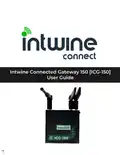
intwine connected ICG-150 Gateway 150 Cellular Router User Guide




ICG-150 USER GUIDE
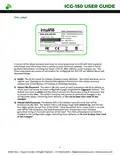
Remote Management Portal
Intwine's Remote Management Portal (RMP) enables users to centrally manage a
network of connected gateway routers and IoT devices in real time and from
anywhere in the world.
With the RMP, users can quickly deploy and manage networks of distributed
hardware in order to increase productivity and reduce costs related to IT and
customer support.
The RMP is a cloud-based network management application that provides instant
scalability and increased visibility into your network including:
• Cellular online/offline status
• Data usage monitoring
• Network health indicators
• Advanced troubleshooting tools
• Remote firmware upgrades
To create an account and register your 4GR sign up at: rmp.intwineconnect.com
3
©2022 Rev 1. Intwine Connect. All Rights Reserved. | +1(216)314-2922 | info@intwineconnect.com | intwineconnect.com

| General | Details |
|---|---|
| Name | intwine connected ICG-150 Gateway 150 Cellular Router User Guide |
| Make | intwine connected |
| Language | English |
| Filetype | PDF (Download) |
| File size | 0.51 MB |
 (1 votes, average: 5.00 out of 5)
 Loading...
If you have any questions regarding intwine connected ICG-150 Gateway 150 Cellular Router User Guide, please ask here and describe the problem in detail.


Tenda W30E AX3000 Dual Band Wi-Fi 6 Wireless Hotspot Router Installation Guide

MEIG SLT866 4G LTE CPE Router User Guide

MERCUSYS MB110-4G LTE Router User Guide

Draytek Vigor C410 Series VPN Router User Guide

SWAGTEK M1C 4G LTE Mobile Router Installation Guide

TP-Link G36W-4G Omada Pro 4G Cat6 Gigabit VPN Router Installation Guide

MIKROTIK 2004-1G-12S+2XS Cloud Core Router User Manual

FiberHome SR1021Y Wireless Router User Manual

TP-Link TL-WR1502X AX1500 WiFi 6 Travel Router Installation Guide

ASUS BE25000 Quad Band WiFi Router User Guide