
Home > intwine connected > intwine connected ICG-150 Gateway 150 Cellular Router User Guide
intwine connected ICG-150 Gateway 150 Cellular Router User Guide
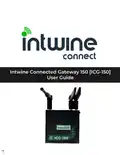




ICG-150 USER GUIDE
INTRODUCTION
Intwine’s failover broadband services protect small businesses from the loss and disrupton of
revenue, productvity, and customer experience associated with losing Internet connectvity.
Intwine’s bundled soluton offers customers a fully managed and seamless backup broadband
soluton that is plug-and-play for failover broadband and parallel networking. The entre soluton
is developed, configured, billed, and supported by Intwine and also includes a management
portal for ongoing maintenance, deployment, and support.
Package Contents
●
Intwine Connected Gateway ICG-150 Router
●
Embedded 4G LTE modem
●
Embedded 4G LTE SIM
●
Dual 10/100 Ethernet WAN/LAN
●
Two (2) 4G LTE antennas
●
One (1) Wi-Fi antenna
●
One (1) 5 foot Ethernet cable
●
One (1) 12V 1A power supply
●
Mountng Brackets
●
Quick Start Guide
System Requirements
●
Windows 2000/XP/7+, MAC OS X, or Linux computer
●
The following web browsers (earliest version in parenthesis): Chrome (43), Internet Explorer
(IE11), or Firefox (38)
Overview
The Intwine Connected Gateway (ICG) is an industrial networking device with routng and basic
connectvity that provides lower-level, physical layer gateway functonality.
The integrated 802.11bgn soluton allows the gateway to serve as a Wi-Fi access point (AP) or
as a client to an existng Wi-Fi infrastructure, and the 4G LTE WAN can be configured as the
primary WAN or as a network backup to an existng infrastructure. A fleet of deployed ICGs can
be controlled and monitored using the Intwine Remote Management Portal, with the ability to
monitor, control, and automate heterogeneous networks.
Intwine Connect’s 4G Router bundled soluton includes:
●
Intwine Connected Gateway (ICG-150)
●
Cellular actvaton
●
Optonal statc cellular IP address
●
Private cellular network access
●
One-year hardware warranty
●
Tier 1 technical and installaton support
●
Bundled data packages
●
Remote Management Portal account
2
©2022 Rev 1. Intwine Connect. All Rights Reserved. | +1(216)314-2922 | info@intwineconnect.com | intwineconnect.com

| General | Details |
|---|---|
| Name | intwine connected ICG-150 Gateway 150 Cellular Router User Guide |
| Make | intwine connected |
| Language | English |
| Filetype | PDF (Download) |
| File size | 0.51 MB |
 (1 votes, average: 5.00 out of 5)
 Loading...
If you have any questions regarding intwine connected ICG-150 Gateway 150 Cellular Router User Guide, please ask here and describe the problem in detail.


MAIYUAN AC1200M Wireless Router User Guide

TP-Link TL-WR802N N300 WLAN Nano Router User Guide

eero N010001 AX1800 Dual Band Mesh WiFi 6 Router User Manual

Intesis INBACRTR0320000 BACnet MS-TP to BACnet-IP Router Owner’s Manual

acer W6M W-Fi 6E Mesh Router User Manual

TP-Link Archer AX53 AX3000 Gigabit Wi-Fi 6 Router User Guide

UBIQUITI UISP Power Pro Router User Guide

DrayTek Vigor2927 Dual WAN Security Router User Guide

ASUS ExpertWiFi EBR63 Wireless AX3000 Dual-Band Router User Guide

cradlepoint AER1600 LTE Router User Guide