
Home > intwine connected > intwine connected ICG-150 Gateway 150 Cellular Router User Guide
intwine connected ICG-150 Gateway 150 Cellular Router User Guide




ICG-150 USER GUIDE
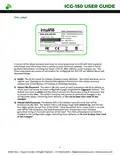
Rail Mount Installation
Bracket is not included in standard package, and can be ordered by contactng Intwine
sales representatves at sales@intwineconnect.com
1) Select the installaton locaton of the device and make sure there is enough space.
2) Tilt the equipment to the right 45°, so that the upper part of the DIN rail seat is stuck on the
DIN rail, holding the lower end of the equipment, up slightly to rotate the equipment, the
DIN rail seat can be stuck on the DIN rail.
3)
PUSH
Ra
1) Hold the botom end of the equipment with one hand and the top end of the DIN rail
2) With the other hand, push lower end of the device to leave the DIN rail
3) Turn the equipment clockwise and liſt the equipment, removed the equipment from the DIN
rail
PUSH
PUSH
5
©2022 Rev 1. Intwine Connect. All Rights Reserved. | +1(216)314-2922 | info@intwineconnect.com | intwineconnect.com

| General | Details |
|---|---|
| Name | intwine connected ICG-150 Gateway 150 Cellular Router User Guide |
| Make | intwine connected |
| Language | English |
| Filetype | PDF (Download) |
| File size | 0.51 MB |
 (1 votes, average: 5.00 out of 5)
 Loading...
If you have any questions regarding intwine connected ICG-150 Gateway 150 Cellular Router User Guide, please ask here and describe the problem in detail.


TP-Link 7106511948 Outdoor Router Installation Guide

Cudy RT02 Router Installation Guide

TELTONIKA Networks QSG RUT956 Cellular Router Instruction Manual

Mercury Asus RT-AC66-88U Fiber Dual-Band Wireless AC1750 Gigabit Router User Guide

rock space RSD0616 AX1800 Wi-Fi 6 Smart WiFi Router Installation Guide

dahua DH-AX30 Wireless Router User Manual

AIR DVW-642 WiFi Router User Guide

TELTONIKA Networks QSG RUT951 Wi-Fi Dual SIM Router Instruction Manual

TP-Link Archer BE900 Wi-Fi 7 Router User Manual

TP-Link ER706W Omada AC1350 Gigabit VPN Router Installation Guide