
Home > intwine connected > intwine connected ICG-150 Gateway 150 Cellular Router User Guide
intwine connected ICG-150 Gateway 150 Cellular Router User Guide




ICG-150 USER GUIDE
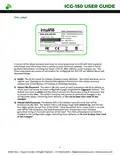
Wall Hanging Installation
Hardware is included in standard package
1) Fix the hanging ear to both sides of the device with the provided screws
2) Fix the hanging ear to the wall with screws selected based on the wall type (not provided)
Power Installation
1) Remove power terminal from router
2) Unscrew the locking screw on the power
terminal
3) Insert the power cable into the terminal and
lock the screws
Ground Installation
1) Unscrew the ground nut
2) Put the grounding ring of the cabinet ground
wire into the ground stud
3) Tighten the ground nut
6
©2022 Rev 1. Intwine Connect. All Rights Reserved. | +1(216)314-2922 | info@intwineconnect.com | intwineconnect.com

| General | Details |
|---|---|
| Name | intwine connected ICG-150 Gateway 150 Cellular Router User Guide |
| Make | intwine connected |
| Language | English |
| Filetype | PDF (Download) |
| File size | 0.51 MB |
 (1 votes, average: 5.00 out of 5)
 Loading...
If you have any questions regarding intwine connected ICG-150 Gateway 150 Cellular Router User Guide, please ask here and describe the problem in detail.


robustel R1510-4L VPN Router Owner’s Manual

prolink DL-7302 LTE CAT4 Wi-Fi Home Router Installation Guide

ASUS TUF-AX3000 V2 TUF Gaming AX3000 V2 Dual Band WiFi 6 Router User Guide

MERCUSYS 300Mbps Enhanced Wireless N Router MW325R User Manual

TP-Link G36 Gigabit VPN Router Installation Guide

TELTONIKA Networks RUT241 LTE Router User Guide

GRANDSTREAM GWN7062E Wi-Fi 6 Router Instruction Manual

Cudy WR300 Multi Mode WiFi Router Installation Guide

Cudy X6 AX1800 1800mbps Dual Band Smart Wi-Fi 6 Router Installation Guide

DrayTek Vigor2766 Series Fast Security Router User Guide