
Home > intwine connected > intwine connected ICG-150 Gateway 150 Cellular Router User Guide
intwine connected ICG-150 Gateway 150 Cellular Router User Guide




ICG-150 USER GUIDE
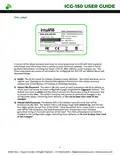
1) To access the router’s configuraton page, open up any standard web browser and
browse to htp://192.168.2.1
If you receive a security warning, dismiss it and proceed.
2) Enter admin as the username and the default password found on the label, then click the
LOGIN buton. The password is the Password printed on the botom stcker.
3) You are now able to configure your ICG-150! You should now be on the System Status
screen seen below.
10
©2022 Rev 1. Intwine Connect. All Rights Reserved. | +1(216)314-2922 | info@intwineconnect.com | intwineconnect.com

| General | Details |
|---|---|
| Name | intwine connected ICG-150 Gateway 150 Cellular Router User Guide |
| Make | intwine connected |
| Language | English |
| Filetype | PDF (Download) |
| File size | 0.51 MB |
 (1 votes, average: 5.00 out of 5)
 Loading...
If you have any questions regarding intwine connected ICG-150 Gateway 150 Cellular Router User Guide, please ask here and describe the problem in detail.


ASUS RT-ACRH18 Dual band AC WiFi Router User Guide

Milesight UF51 5G CPE Router User Guide

TP-Link TL-MR3420 3G-4G Wireless Router Installation Guide

TP-Link T120200-2B1 Omada Cat6 Gigabit VPN Router Instructions

NETGEAR BE12000 Tri-Band WiFi 7 Router Owner’s Manual

Spectrum IP6442B WiFi 6E Router User Manual

Tenda AX1800 Wi-Fi 6 5G NR Router User Manual

TP-Link AX3000 WiFi 6 One Mesh Router Instruction Manual

WAVLINK AC1200 Dual Band Wi-Fi Extender/AP User Guide
Guangdong Xintengda Communication Technology WR300N-XXX WiFi Router Instruction Manual