
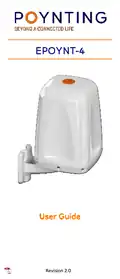
POYNTING EPOYNT-4 Outdoor LTE-5G Antenna and Router Enclosure User Guide



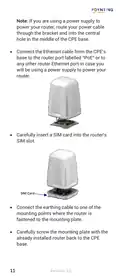
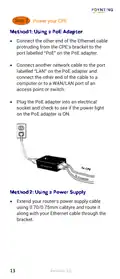
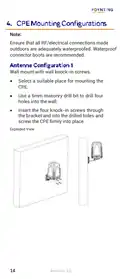
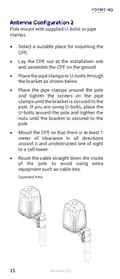
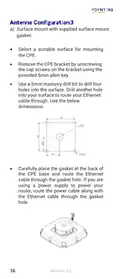
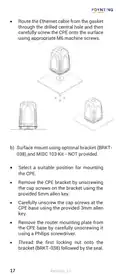
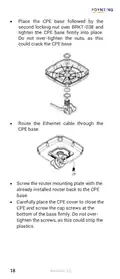
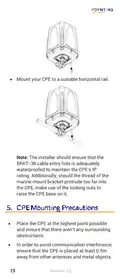
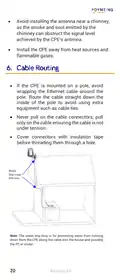


Note: If you are using a power supply to
power your router, route your power cable
through the bracket and into the central
hole in the middle of the CPE base.
•
Connect the Ethernet cable from the CPE’s
base to the router port labelled “PoE” or to
any other router Ethernet port in case you
will be using a power supply to power your
router.
•
Carefully insert a SIM card into the router’s
SIM slot.
SIM Card
•
•
Connect the earthing cable to one of the
mounting points where the router is
fastened to the mounting plate.
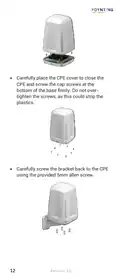
Carefully screw the mounting plate with the
already installed router back to the CPE
base.
11
Revision 2.0

| General | Details |
|---|---|
| Name | POYNTING EPOYNT-4 Outdoor LTE-5G Antenna and Router Enclosure User Guide |
| Make | Poynting |
| Language | English |
| Filetype | PDF (Download) |
| File size | 0.31 MB |
 (1 votes, average: 5.00 out of 5)
 Loading...
If you have any questions regarding POYNTING EPOYNT-4 Outdoor LTE-5G Antenna and Router Enclosure User Guide, please ask here and describe the problem in detail.


ASUS AXE7800 ZenWiFi Tri Band WiFi Router User Guide

FALCON 1800 EVO 5G Ready Omni-Directional Antenna Plus Router User Manual

TP-Link BE11000 Tri Band Wi-Fi 7 Gaming Router User Guide

LINOVISION IOT-R32W Unlocked 4G LTE Router User Manual

LANCOM 1781-4G VPN Router User Guide

ASUS GT-BE98 Quad Band Gaming Router User Guide

TP-Link Archer AX55 Wi-Fi 6 Router Installation Guide

ALFA HaLow-R WiFi 4 IoT Router User Guide

RuiJie Reyee RG-EW Series Router User Guide

GRANDSTREAM GWN7052F Dual Band Wi-Fi Router Installation Guide