
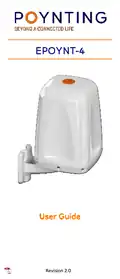
POYNTING EPOYNT-4 Outdoor LTE-5G Antenna and Router Enclosure User Guide





•
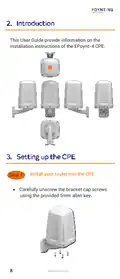
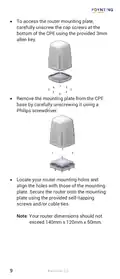
To access the router mounting plate,
carefully unscrew the cap screws at the
bottom of the CPE using the provided 3mm
allen key.
•
Remove the mounting plate from the CPE
base by carefully unscrewing it using a
Philips screwdriver.
•
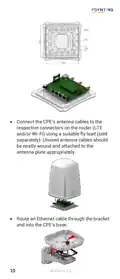
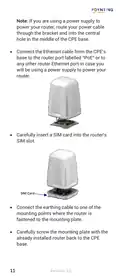
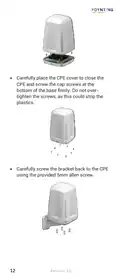
Locate your router mounting holes and
align the holes with those of the mounting
plate. Secure the router onto the mounting
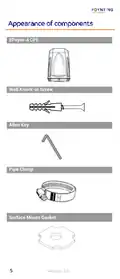
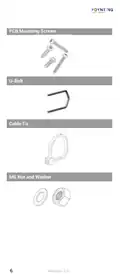
plate using the provided self-tapping
screws and/or cable ties.
Note: Your router dimensions should not
exceed 140mm x 120mm x 50mm.
9
Revision 2.0

| General | Details |
|---|---|
| Name | POYNTING EPOYNT-4 Outdoor LTE-5G Antenna and Router Enclosure User Guide |
| Make | Poynting |
| Language | English |
| Filetype | PDF (Download) |
| File size | 0.31 MB |
 (1 votes, average: 5.00 out of 5)
 Loading...
If you have any questions regarding POYNTING EPOYNT-4 Outdoor LTE-5G Antenna and Router Enclosure User Guide, please ask here and describe the problem in detail.


Ruijie RG-EG105GW-X Wi-Fi High Performance Router User Manual

D-Link DIR-400 Wireless Router Instructions

D-Link DIR-836L Wireless N750 Dual Band Gigabit Router Installation Guide

TP-Link ER706W4G Gigabit VPN Router Installation Guide

Draytek Vigor C410 Series VPN Router User Guide

Pix-Link AX02 Wi-Fi 6 Router Installation Guide

amped wireless R10000G High Power Wireless N 600mW Gigabit Router User Guide

Antena Gear TX54 5G Cellular Router User Guide

TELTONIKA Networks QSG RUT241 LTE Router User Guide

KEENETIC KN-1310 Wireless Router User Guide