
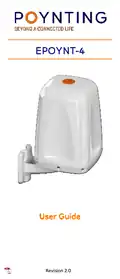
POYNTING EPOYNT-4 Outdoor LTE-5G Antenna and Router Enclosure User Guide





•
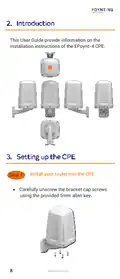
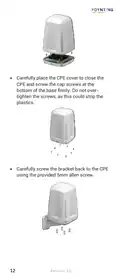
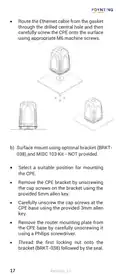
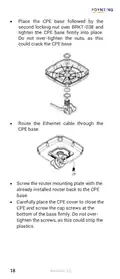
Carefully place the CPE cover to close the
CPE and screw the cap screws at the
bottom of the base firmly. Do not over-
tighten the screws, as this could strip the
plastics.
•
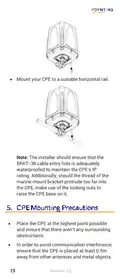
Carefully screw the bracket back to the CPE
using the provided 5mm allen screw.
12
Revision 2.0

| General | Details |
|---|---|
| Name | POYNTING EPOYNT-4 Outdoor LTE-5G Antenna and Router Enclosure User Guide |
| Make | Poynting |
| Language | English |
| Filetype | PDF (Download) |
| File size | 0.31 MB |
 (1 votes, average: 5.00 out of 5)
 Loading...
If you have any questions regarding POYNTING EPOYNT-4 Outdoor LTE-5G Antenna and Router Enclosure User Guide, please ask here and describe the problem in detail.


D-Link DIR-890L AC3200 Ultra Wi-Fi Router Installation Guide

AZORES AX3000 PRO WiFi-6 Wireless Router Instruction Manual

MERCUSYS 300Mbps Enhanced Wireless N Router MW325R User Manual

HMS NETWORKS CANbridge NT Lua ADK Bridge Router User Guide

Tenda RX2LP Dual Band Gigabit Wi-Fi 6 Router Installation Guide

ASUS DSL-N12U 11N 300MBps Wireless ADSL Modem Router User Guide

eSunFi SHFiEL40 4G LTE WiFi Mobile Hotspot Router User Manual

KEENETIC Hero KN-1012 Mesh Wi-Fi 6 Multi-Gigabit Router User Guide
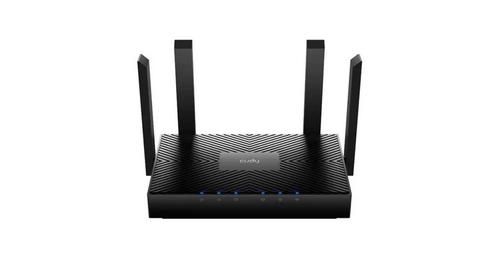
Cudy WR3000 AX3000 Wi-Fi 6 Mesh Router User Guide

TP-Link BE11000 Tri Band Wi-Fi 7 Gaming Router User Guide