
POYNTING EPOYNT-4 Outdoor LTE-5G Antenna and Router Enclosure User Guide



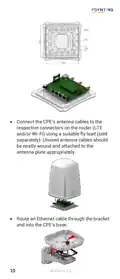
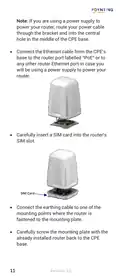
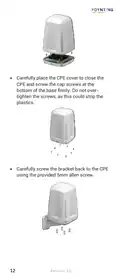


•
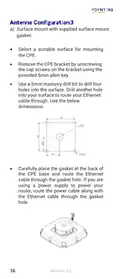
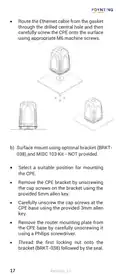
Route the Ethernet cable from the gasket
through the drilled central hole and then
carefully screw the CPE onto the surface
using appropriate M6 machine screws.
b) Surface mount using optional bracket (BRKT-
038) and MISC 103 Kit - NOT provided.
•
•
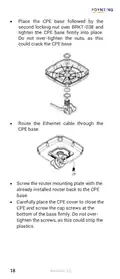
Select a suitable position for mounting
the CPE.
Remove the CPE bracket by unscrewing
the cap screws on the bracket using the
provided 5mm allen key.
•
•
•
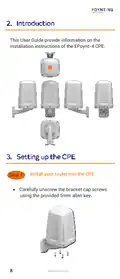
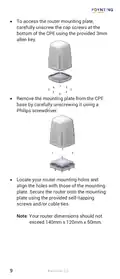
Carefully unscrew the cap screws at the
CPE base using the provided 3mm allen
key.
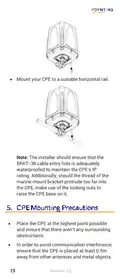
Remove the router mounting plate from
the CPE base by carefully unscrewing it
using a Philips screwdriver.
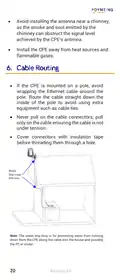
Thread the first locking nut onto the
bracket (BRKT-038) followed by the seal.
17
Revision 2.0

| General | Details |
|---|---|
| Name | POYNTING EPOYNT-4 Outdoor LTE-5G Antenna and Router Enclosure User Guide |
| Make | Poynting |
| Language | English |
| Filetype | PDF (Download) |
| File size | 0.31 MB |
 (1 votes, average: 5.00 out of 5)
 Loading...
If you have any questions regarding POYNTING EPOYNT-4 Outdoor LTE-5G Antenna and Router Enclosure User Guide, please ask here and describe the problem in detail.


LAB4MUSIC Sipario Expanded Advanced MIDI Router User Manual

Cisco Router RV345/RV345P User Guide

ELTEC CYBOX RT 2-A Wireless Automotive Router Installation Guide

MERCKU M6a Plus WiFi 6 Mesh Router User Guide

robustel R3000 Lite Dual-SIM VPN Router User Manual

D-Link BE3600 Mesh Gigabit Wireless Router Installation Guide

VIMAR 01507 By me KNX Router Instruction Manual

Cudy WR3600E Gigabit Wi-Fi 7 Router Installation Guide

Asiatelco ATEL 5G CPE Accurate Router User Manual

WATER WORLD AC1200M Wireless Dual Frequency Router User Guide