
POYNTING EPOYNT-4 Outdoor LTE-5G Antenna and Router Enclosure User Guide



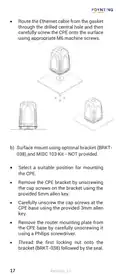
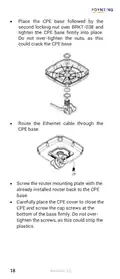
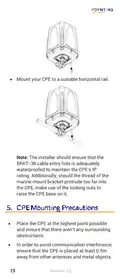
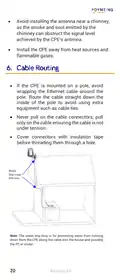



Step 2
Power your CPE
•
•
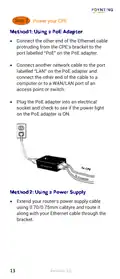
Connect the other end of the Ethernet cable
protruding from the CPE’s bracket to the
port labelled “PoE” on the PoE adapter.
Connect another network cable to the port
labelled “LAN” on the PoE adapter and
connect the other end of the cable to a
computer or to a WAN/LAN port of an
access point or switch.
•
Plug the PoE adapter into an electrical
socket and check to see if the power light
on the PoE adapter is ON.
•
Extend your router's power supply cable
using 0.70/0.75mm cabtyre and route it
along with your Ethernet cable through the
bracket.
13
Revision 2.0

| General | Details |
|---|---|
| Name | POYNTING EPOYNT-4 Outdoor LTE-5G Antenna and Router Enclosure User Guide |
| Make | Poynting |
| Language | English |
| Filetype | PDF (Download) |
| File size | 0.31 MB |
 (1 votes, average: 5.00 out of 5)
 Loading...
If you have any questions regarding POYNTING EPOYNT-4 Outdoor LTE-5G Antenna and Router Enclosure User Guide, please ask here and describe the problem in detail.


Falcon FN-4G-300P 4G LTE Portable 300MBPS Router User Manual

ASUS DSL-N12U 11N 300MBps Wireless ADSL Modem Router User Guide

LINKSYS WRT54G Wireless G Router Instructions
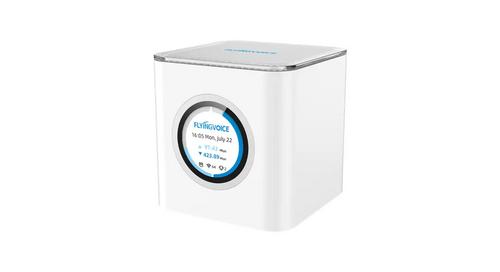
FLYINGVOICE SR3000 Wi-Fi 6 EasyMesh PoE Wireless Router Installation Guide

ASUS DSL-AX82U Dual Band WiFi 6 Extendable xDSL Modem Gaming Router Instructions

ASUS RT-BE88U Dual Band WiFi 7 Gaming Router User Guide

TUGE TR10NA IOT 4G Router User Guide

ASUS BE6800 Dual Band WiFi Router User Guide

PoEWit R-4 Preconfigured Enterprise-Class Router User Guide

QNAP QMiroPlus-201W Router Installation Guide