
Home > Vantron Technology > Vantron Technology R105 Router User Manual
Vantron Technology R105 Router User Manual




Vantron| Embedded in your success, Embedded in your better life
World-leading provider of embedded/IoT products and solutions
3.12 Services
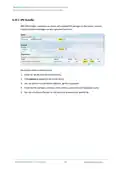
3.12.1 Dynamic DNS
Dynamic DNS is a technology in domain name system (DNS) that automatically updates
the content of Name Server, often in real time, with the active DDNS configuration of its
configured hostnames, addresses or other information.
I
n
p
u
t
a
n
a
m
e
o
f
t
h
e
s
u
b
d
o
m
a
i
n
o
r
r
o
o
t
d
o
m
a
i
n
a
n
d
c
l
i
c
k
A
d
d
b
u
t
t
o
n
,
a
n
d
y
o
u
w
i
l
l
b
e
d
i
r
e
c
t
e
d
t
o
t
h
e
s
e
t
u
p
p
a
g
e
o
f
t
h
e
d
y
n
a
m
i
c
D
N
S
.
T
h
e
n
y
o
u
c
a
n
e
d
i
t
t
h
e
s
e
r
v
i
c
e
a
s
n
e
e
d
e
d
.
3.12.2 RC to PLC
For remote access and control of PLC devices via OpenVPN protocol, you will need two
R105 routers and a Windows host computer (‘Windows PC’) that are on the same
network. One router (‘R1’) is for building an OpenVPN server, and the other (‘R2’) is for
connecting the OpenVPN server built by R1.
Prerequisites:
1. Prepare the R1, R2, Windows PC, and PLC device
2. Connect R1 and R2 to the same network via Wi-Fi or Ethernet
3. Install an OpenVPN client program (such as OpenVPN-2.5.2-I601-amd64.msi) and a
PLC programming software (such as STEP7 depending on the device) on the Windows
PC
on R1 and download the .ovpn file
5. Connect the Windows PC to the OpenVPN server built by R1 via the OpenVPN client
program
6. Connect R2 to the OpenVPN server built by R1 (see below)
7. Connect the PLC device to a LAN port of R2 and set a static IP address for the PLC (see
details below)
8. Connect the PLC device to the Windows PC via Ethernet and control the PLC with the
PLC programming software (STEP7)
R105 Industrial Router | User Manual
98

| General | Details |
|---|---|
| Name | Vantron Technology R105 Router User Manual |
| Make | Vantron Technology |
| Language | English |
| Filetype | PDF (Download) |
| File size | 0.51 MB |
 (1 votes, average: 5.00 out of 5)
 Loading...
If you have any questions regarding Vantron Technology R105 Router User Manual, please ask here and describe the problem in detail.


MikroTik RB750r2 hEX Lite Router User Guide

ZYXEL NETWORKS 2AU6R03993 Security Router User Guide

Intesis INBACRTR0320000 BACnet MS-TP to BACnet-IP Router Owner’s Manual

TP-Link G36 Gigabit VPN Router Installation Guide

Synology RT6600AX Tri-Band Mesh 11ax Router Installation Guide

NETGEAR AX1800 WiFi 6 Router User Guide

ZYXEL LTE5388-M804 4G LTE-A Pro Router User Guide

ASUS RT-AC1300G PLUS Wireless AC1300 Dual Band Gigabit Router User Guide

STAR COMMUNICATIONS GigaSpire Blast u6.2 WiFi Router Instructions

westermo Merlin 4700 Series VDSL Cellular Router User Guide