
Home > Vantron Technology > Vantron Technology R105 Router User Manual
Vantron Technology R105 Router User Manual




Vantron| Embedded in your success, Embedded in your better life
World-leading provider of embedded/IoT products and solutions
(3) Settings on the Ubuntu host
Use microcom to access the serial port in terminal A (assume that the device
name for the USB to TTL serial adapter is identified as /dev/ttyUSB1)
sudo microcom -p /dev/ttyUSB1 -s 115200
Monitor the designated port (10 as assigned in prior steps) in terminal B using
Telnet protocol
telnet 192.168.19.207 10
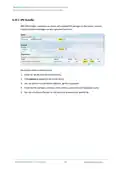
minals A and B can send and receive data in both directions (the topology is as
follows)
3.11.3 Protocol comparison
Under the server mode, two protocols are available which are differentiated as below:
1) Raw: enables the port and transfers all data as-is between the port and the long
integer.
2) Telnet: enables the port and runs the telnet protocol on the port to set up telnet
parameters.
R105 Industrial Router | User Manual
97

| General | Details |
|---|---|
| Name | Vantron Technology R105 Router User Manual |
| Make | Vantron Technology |
| Language | English |
| Filetype | PDF (Download) |
| File size | 0.51 MB |
 (1 votes, average: 5.00 out of 5)
 Loading...
If you have any questions regarding Vantron Technology R105 Router User Manual, please ask here and describe the problem in detail.


TELTONIKA Networks RUTM50 Cellular 5G Router User Guide

AMTEL AMT5500 Router User Manual

toob Wifi Router User Guide

cimetrics B3075 BACnet-IP to BACnet-IP Router User Guide

NETGEAR BE9200 WiFi 7 Router Instruction Manual

TELTONIKA Router User Guide

TP-Link Omada ER8411 VPN Router Instructions

Amped Wireless R10000 High Power Wireless N 600mW Router User Guide

Singtel XGSPON Optical Network Router Installation Guide

D-Link DWR-M930 Wireless 4G LTE Router User Guide