
Home > Vantron Technology > Vantron Technology R105 Router User Manual
Vantron Technology R105 Router User Manual




Vantron| Embedded in your success, Embedded in your better life
World-leading provider of embedded/IoT products and solutions
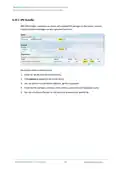
Step 4: Open an SSH client (PuTTY or MobaXterm recommended) in the Windows host;
Step 5: Input the host name or IP address (LAN port address by default: 172.18.1.1), keep
the default port No. (22) unchanged, and select SSH for the connection type;
Step 6: Set the session name and Save, keep the other settings unchanged, then click
Open;
Step 7: Log in with the root account and password (same as those in the prior step), and
start an SSH remote session.
R105 Industrial Router | User Manual
105

| General | Details |
|---|---|
| Name | Vantron Technology R105 Router User Manual |
| Make | Vantron Technology |
| Language | English |
| Filetype | PDF (Download) |
| File size | 0.51 MB |
 (1 votes, average: 5.00 out of 5)
 Loading...
If you have any questions regarding Vantron Technology R105 Router User Manual, please ask here and describe the problem in detail.


TP-Link XGB430v Pro BE7200 Dual-Band Wi-Fi 7 XGS-PON Router Owner’s Manual

netgate 8200 Secure Router User Manual

trend T8EK Electric Router Instruction Manual

ime RUTM10 Router Instruction Manual

FLEX FX4221 24V Trim Router Instruction Manual

Chosen Selective EL988 CS Dual Band Global Mifi Router User Manual

TP-Link T120200-2B1 Omada Cat6 Gigabit VPN Router Instructions

TUBBUTEC TRS Bridge 4×4 TRS Midi Router User Guide

Inverto OneNet PROx MESH WI-FI Router User Guide

Spectrum 20230810 WiFi 6E Wall Mounted Router User Guide