
×
- 1. The Html Code Provided Does Not Contain Any Subheadings Related To Installation/setup/configuration. Therefore, I Will Take The First Senten… (User Guide 4g+ Cat6 Ac1200 Wireless Dual Band Gigabit Router 2022 Tp-link Rev1.0.0 1910013017)
- 2. About This Guide (Connect The Hardware → Requirements For Operation → Position Your 4g Lte Router → Connect Your 4g Lte Router → Log In To Your 4g Lte Router → Set Up Internet Connections)
- 3. Product Overview (Panel Layout)
- 4. Get To Know Your 4g Lte Router (Product Overview → Panel Layout → Top View → Led Explanation)
- 5. Get To Know Your 4g Lte Router (Connect Your 4g Lte Router → The Back Panel)
- 6. Get To Know Your 4g Lte Router (Power Port → Power On/off Button → Lan1, Lan2, Lan3, Lan4/wan → Wps/reset → Wi-fi On/off → Nano Sim Card Slot)
- 7. Connect The Hardware (Requirements For Operation → Position Your 4g Lte Router → Connect Your 4g Lte Router)
- 8. Connect The Hardware (Requirements For Operation → Position Your 4g Lte Router)
- 9. Connect The Hardware (Connect Your 4g Lte Router → Install The Antennas And Position Them Upwards. → Connect The Power Adapter And Push In The Power On/off Button To Turn On The Router. → Connect Your Computer To The Router. → Method 1: Wired → Method 2: Wirelessly)
- 10. Connect The Hardware (G → Wlan → Tp-link_home → My Network → Home Network → Tp-link_network)
- 11. Log In To Your 4g Lte Router
- 12. Log In To Your 4g Lte Router (Warning: Ensure Tcp/ip Protocol Is Set To Obtain An Ip Address Automatically → Launch A Web Browser → Set A Strong Password)
- 13. Set Up Internet Connections (Use Quick Setup Wizard → Create A Connection Profile → Set Up Ipv6 Tunnel → Test Internet Connectivity)
- 14. Set Up Internet Connections (Use Quick Setup Wizard → Create A Connection Profile)
- 15. Set Up Internet Connections (Upgrade Your Isp Information → Network Mode → Band Setting → Network Search → Create Profile → Profile Name, Username And Password)
- 16. Set Up Internet Connections (Set Up Ipv6 Tunnel → Use The Public Ipv6 Tunnel Service-6to4)
- 17. Set Up Internet Connections (Specify The 6rd Tunnel With Parameters Provided By Your Isp → Test Internet Connectivity)
- 18. Set Up Internet Connections (Diagnostics)
- 19. Qos
- 20. Enableqosandsetbandwidthallocation (Addamiddlepriorityqosruleforthephone → Qossettings → Natboost → Inputmaximumuploadanddownloadbandwidth → Setbandwidthprioritypercentage → Savesettings)
- 21. Qos
- 22. Protect The Network From Cyber Attacks (Service Filtering → Access Control → Ip & Mac Binding → Ipv6 Firewall)
- 23. Protect The Network From Cyber Attacks (Configure Firewall And Dos Protection → Enable Ipv4 Spi Firewall → Enable Dos Protection → Set The Level Of Protection For Icmp-flood Attack Filtering → Set The Level Of Protection For Udp-flood Attack Filtering → Set The Level Of Protection For Tcp-flood Attack Filtering)
- 24. Network Security (Service Filtering → Visit Http://tplinkmodem.net → Go To Advanced > Security > Service Filtering → Click Add → Select A Service Type From The Drop-down List → Specify The Ip Address(es) That This Filtering Rule Will Apply To)
- 25. Network Security (Access Control → Block Or Allow Specific Client Devices To Access My Network → Visit Http://tplinkmodem.net, And Log In With The Password Or Your Tp-link Id → Go To Advanced > Security > Access Control And Enable Access Control → Select The Access Mode To Either Block (recommended) Or Allow The Device(s) In The List → Select Blacklist And Click Save)
- 26. Network Security (Ip & Mac Binding → Prevent Arp Spoofing And Other Arp Attacks → Visit Http://tplinkmodem.net, And Log In With The Password Or Your Tp-link Id → Go To Advanced > Security > Ip & Mac Binding And Enable Ip & Mac Binding)
- 27. Bind Your Device(s) According To Your Needs (Bind The Connected Device(s) → Bind The Unconnected Device → Ipv6 Firewall)
- 28. Network Security (Ipv6 Firewall → Add → Interface Name → Scan → Service Type → Enable This Entry)
- 29. Parental Controls
- 30. Parental Controls (Control The Time Of Day My Children Or Other Home Network Users Are Allowed To Access The Internet → Visit Http://tplinkmodem.net, And Log In With The Password Or Your Tp-link Id → Go To Basic Or Advanced > Parental Controls And Enable Parental Controls → Click Add)
- 31. Parental Controls (Click Scan And Select The Device To Be Controlled. Or Enter The Device Name And Mac Address Manually. → Select The Restriction Type. → With Blacklist Selected, The Controlled Devices Cannot Access Any Websites Containing The Specified Keywords During The Effective Time Period. → With Whitelist Selected, The Controlled Devices Can Only Access Websites Containing The Specified Keywords During The Effective Time Period. → Click Add A New Keyword. You Can Add Up To 200 Keywords For Both Blacklist And Whitelist.)
- 32. Parental Controls (Whitelist → Save)
- 33. View Messages (Edit And Send A New Message → View Sent Messages → View Drafts → Sms Settings)
- 34. View Messages (Edit And Send A New Message)
- 35. View Sent Messages (View Drafts → Sms Settings)
- 36. Message Center Number (Change It According To Your Needs → Click Save To Apply Your Settings)
- 37. Create A Network For Guests (Customize Guest Network Options)
- 38. Create A Network For Guests (Customize Guest Network Options)
- 39. Guest Network (Allow Guests To See Each Other → Allow Guests To Access My Local Network → Enable Qos For Guest Network)
- 40. Nat Forwarding (Translate Address And Port By Alg → Share Local Resources In The Internet By Virtual Server → Open Ports Dynamically By Port Triggering → Make Applications Free From Port Restriction By Dmz → Make Xbox Online Games Run Smoothly By Upnp)
- 41. Nat Forwarding (Translate Address And Port By Alg → Share Local Resources In The Internet By Virtual Server)
- 42. Nat Forwarding (Assign A Static Ip Address To Your Pc → Visit Http://tplinkmodem.net → Go To Advanced > Nat Forwarding > Virtual Servers → Click Save To Save The Settings)
- 43. Nat Forwarding (Set Up A Dynamic Dns Service Account → Open Ports Dynamically By Port Triggering → Configure The Port Triggering Rules)
- 44. Nat Forwarding (Make Applications Free From Port Restriction By Dmz → Assign A Static Ip Address To Your Pc → Visit Http://tplinkmodem.net → Go To Advanced > Nat Forwarding > Dmz → Enter The Ip Address In The Dmz Host Ip Address Field)
- 45. Nat Forwarding
- 46. Nat Forwarding (Upnp → Lan → Wan → Xbox → G Lte Router)
- 47. Specifyyournetworksettings (Upgradeyourispinformation → Pinmanagement → Datasettings → Lansettings → Wirelesssettings → Setupadynamicdnserviceaccount)
- 48. Specifyyournetworksettings (Upgradeyourispinformation → Pinmanagement)
- 49. Specifyyournetworksettings (Datasettings → Simcardstatus → Pinlock → Auto-unlockpin → Puk → Newpin)
- 50. Specifyyournetworksettings (Lansettings → Changethelanipaddress → Enabledatalimit → Entertotalmonthlydata → Enterusagealert → Enablemonthlydatastatistics)
- 51. Specifyyournetworksettings (Use The4glterouterasadhcpserver → Configuredhcpserverfunction → Specifytheipaddresspool → Enteravaluefortheaddressleasetime → Keeprestofsettingsasdefault → Clicksavetomakesettingseffective)
- 52. Specifyyournetworksettings (Reservelanipaddresses → Enabledhcpfeature → Configureaddressreservation → Visithttp://tplinkmodem.net → Gotoadvanced>network>lansettings → Addaddressreservationentry)
- 53. Specify Your Network Settings (Wireless Settings → Specify Basic Wireless Settings)
- 54. Specifyyournetworksettings (Changethemodeorchannel → Changethesecurityoption → Hidessid → Mode → Channel → Transmitpower)
- 55. Specifyyournetworksettings (Usewpsforwirelessconnection → Method1usethewi-fiprotectedsetupbutton → Method2entertheclientdevicespinontherouter)
- 56. Specifyyournetworksettings (Method3 → Scheduleyourwirelessfunction)
- 57. Specifyyournetworksettings (Setsystemtime → Viewwirelessinformation)
- 58. Specifyyournetworksettings (Advancedwirelesssettings → Beaconinterval → Rtsthreshold → Dtiminterval)
- 59. Specifyyournetworksettings (Setupadynamicdnsserviceaccount → Groupkeyupdateperiod → Wmm → Shortgi → Apisolation)
- 60. Specifyyournetworksettings
- 61. Specifyyournetworksettings (Createstaticroutes → Makesuretheroutersusedifferentlanipaddresses → Disabledhcpfunctionofrouter2 → Visithttp://tplinkmodem.net → Gotoadvancednetworkstaticrouting → Clickaddtoaddanewstaticroutingentry)
- 62. Specifyyournetworksettings (Set Up A Vpn Connection)
- 63. Specifyyournetworksettings (Useopenvpntoaccessyourhomenetwork → Step1.setupopenvpnserveronyourrouter)
- 64. Specifyyournetworksettings (Configureopenvpnconnectiononyourremotedevice → Setuppptpvpnserveronyourrouter)
- 65. Specifyyournetworksettings (Configurepptpvpnconnectiononyourremotedevice → Warning:beforeyouenablevpnserver,werecommendyouconfiguredynamicdnsservice(recommended)orassignastaticipaddressforrouterswanport.)
- 66. Specifyyournetworksettings (Connecttoaworkplace → Usemyinternetconnection(vpn) → Entertheinternetipaddressofthe Router)
- 67. Specifyyournetworksettings
- 68. Specifyyournetworksettings (Ussd → Visithttp://tplinkmodem.net, And Login With The Password Or Your Tp-link Id. → Go Toadvanced>network>ussdpage. → Enter The Ussd Request And Clicksend. → You Will See The Message Returned From Thecarrier In Theussd Resultbox.)
- 69. Set System Time (Control Leds → Test The Network Connectivity → Update The Firmware → Back Up And Restore Configuration Settings → Set The Router To Reboot Regularly → Change The Administrator Account)
- 70. Set System Time (Configure The System Time Using The Following Methods → Manually → Get From Pc → Get From The Internet → Daylight Saving)
- 71. Control Leds (Test The Network Connectivity)
- 72. Update The Firmware (Online Upgrade)
- 73. Online Upgrade (Local Upgrade → Back Up And Restore Configuration Settings)
- 74. To Restore Configuration Settings: (To Reset The Router To Factory Default Settings: → Set The Router To Reboot Regularly)
- 75. Administrate Your Network (Reboot Manually → Schedule The Reboot Time → Change The Administrator Account)
- 76. Local Management (Administrate Your Network → Enable Local Management Via Https → Specify The Local Management → Allow The Following Ip/mac → Click Save To Make The Settings Effective)
- 77. Remote Management (Enable Remote Management → Port Settings → Specific Device Management → Save Settings → Wan Ip Address → Dynamic Dns Service Account)
- 78. Administrate Your Network (System Log → To View The System Logs → To Save The System Logs)
- 79. Administrate Your Network (Save Locally → Save Remotely)
- 80. Cwmp Settings (Enable Cwmp → Inform → Inform Interval → Acs Url → Acs Username/password → Interface Used By Tr-069 Client)
- 81. Connectionrequestauthentication (Username/password → Path → Port → Url → Getrpcmethods → Snmpsettings)
- 82. Enablesnmpagent/snmpagentforwan (Read-onlycommunity → Writecommunity → Systemname → Systemdescription → Systemlocation → Systemcontact)
- 83. Administrateyournetwork (Monitor Theinternettrafficstatistics → Visithttp://tplinkmodem.net → Go Toadvanced>systemtools>trafficmonitorpage → Toggleontrafficmonitor)
- 84. Register A Tp-link Id (Change Your Tp-link Id Information → Manage The User Tp-link Ids → Manage The Router Via The Tp-link Tether App)
- 85. Register A Tp-link Id (Change Your Tp-link Id Information)
- 86. Tp-link Cloud Service (Manage The User Tp-link Ids → Change Your Password)
- 87. Add Tp-link Id To Manage The Router (Remove Tp-link Id(s) From Managing The Router)
- 88. Manage The Router Via The Tp-link Tether App (Launch The Apple App Store Or Google Play Store → Connect Your Device To The Routers Wireless Network → Log In With Your Tp-link Id → Register A Tp-link Id)
- 89. Set Up A Onemesh Network (Manage Devices In The Onemesh Network)
- 90. Onemesh With Seamless Roaming (Unified Wi-fi Network → Seamless Roaming → Easy Setup And Management → Unified Onemesh Network → Same Network Name & Password)
- 91. Set Up A Onemesh Network (Warning: Ensure The Extender Is Connected To The Router. → Tips: Enable Smart Connect Feature For Seamless Connection. → Connect Onemesh Extenders To The Router → Check Devices In Onemesh Network → Visit Tp-link Compatibility Page → Log In To Tp-link Router Management Page)
- 92. Onemesh With Seamless Roaming (Manage Devices In The Onemesh Network)
- 93. Onemesh With Seamless Roaming (Manage Each Onemesh Device In The Network → Device Info Page)
- 94. Resetting The Router To Factory Default Settings (Web Management Page Password → Wireless Network Password → Tp-link Id Password → Accessing The Web Management Page)
- 95. Go To Start > Control Panel > Network And Internet, And Click View Network Status And Tasks.
- 96. Restore Advanced Settings (Reset The Router To Factory Default Settings → Verify That Your Sim Card Is An Lte Or Wcdma Card → Verify That Your Sim Card Is In Your Isps Service Area → Verify That Your Sim Card Has Sufficient Credit → Check The Lan Connection → Check Your Isp Parameters)
- 97. Check The Pin Settings (Check The Data Limit → Check The Mobile Data → Check The Data Roaming → Verify Internet Parameters)
- 98. How To Use The Router As A Regular Wireless Router To Share My Internet? (Connect Your Routers Lan4/wan Port To The Modem Or The Network Port. → Visit Http://tplinkmodem.net, And Log In With Password You Set For The Router. → Go To Advanced > Operation Mode Page. → Select The Wireless Router Mode Option And Click Save To Make The Settings Effective. → G/4g Backup → Iptv Configuration)
- 99. Make Sure The Wireless Function Is Enabled (Make Sure The Wireless Adapter Driver Is Installed Successfully → Troubleshooting On Windows 7 → Troubleshooting On Windows Xp)
- 100. Exit The Wireless Configuration Tool (Select And Right Click On My Computer → Expand Services And Applications > Services → Find And Locate Wireless Zero Configuration → Select Wireless Zero Configuration And Right Click It)
- 101. Changestartuptypetoautomatic (Connecttowirelessnetwork → Checkthewlanledindicatoronyourrouter → Makesureyourcomputer/deviceisstillintherangeofyourrouter/modem)
- 102. Go Toadvanced>wireless>advancedsettingspage, And Check The Wirelessrouter Settings. Double Check Your Wireless Network Name, And Make Sure T… (Connect To Wireless Network. → Authenticating Problem, Password Mismatch. → Sometimes It Will Ask You To Type In A Pin Number When You Connect To Thewireless Network For The First Time. → If You Cannot Find The Pin Or Pin Failed, You May Chooseconnecting Using Asecurity Key Instead, And Then Type In The Network Security Key/wirelesspassword; → If It Continues Saying Network Security Key Mismatch, It Is Suggested To Confirmthe Wireless Password On Your Wireless Router/modem; → Note: Wireless Password/network Security Key Is Case-sensitive.)
- 103. Connect To Wireless Network (Check The Wireless Signal Strength Of Your Network → Change The Wireless Channel Of The Router → Re-install Or Update The Driver For Your Wireless Adapter)
- 104. Ce Mark Warning (Eu Declaration Of Conformity → Uk Declaration Of Conformity → Rf Exposure Information → National Restrictions)
- 105. Ncc Notice (Bsmi Notice → 安全諮詢及注意事項 → 注意潮請勿將水或其他液體潑灑到本產品上 → 插槽與開口供通風使用以確保本產品的操作可靠並防止過熱 → 請勿將本產品置放於靠近熱源的地方 → 不要私自拆開機殼或自行維修如產品有故障請與原廠或代理商聯繫)
- 106. Restricted Substances And Its Chemical Symbols (Safety Information)
- 107. Environment (Explanation Of The Symbols On The Product Label → Caution → Operator's Manual → Recycling)
×
TP-Link Archer MR500 AC1200 Wireless Dual Band Gigabit Router User Guide
















Chapter 12
Administrate Your Network
12 1 Set System Time
System time is the time displayed while the router is running. The system time you
configure here will be used for other time-based functions like Parental Controls and
Wireless Schedule. You can manually set how to get the system time.
Follow the steps below to set your system time.
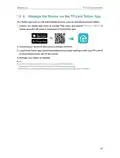
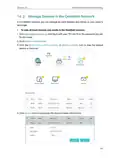
1 Visit http://tplinkmodem.net, and log in with the password or your TP-Link ID.
2 Go to Advanced > System Tools > Time Settings page.
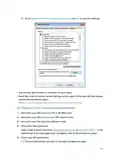
3 Configure the system time using the following methods :
Manually - Select your time zone and enter your local time.
Get from PC - Click this button if you want to use the current managing PC’s time.
Get from the Internet - Click this button if you want to get time from the internet.
Make sure your router can access the internet before you select this way to get
system time.
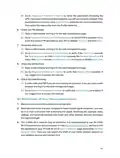
4 Click Save to make your settings effective.
5 After setting the system time, you can set Daylight Saving time according to your
needs. Tick the checkbox to enable Daylight Saving, set the start and end time and
then click Save to make the settings effective.
69

| General | Details |
|---|---|
| Name | TP-Link Archer MR500 AC1200 Wireless Dual Band Gigabit Router User Guide |
| Make | TP-Link |
| Language | English |
| Filetype | PDF (Download) |
| File size | 1.32 MB |
 (1 votes, average: 5.00 out of 5)
 Loading...
If you have any questions regarding TP-Link Archer MR500 AC1200 Wireless Dual Band Gigabit Router User Guide, please ask here and describe the problem in detail.

TP-Link Archer AX55 Wi-Fi 6 Router Installation Guide

TP-Link VR300 Archer Modem Router User Guide

TP-Link T150500-2-DT WiFi Router Instruction Manual

TP-Link Omada ER8411 VPN Router Instructions

TP-Link Configure VDSL Router User Guide

TP-Link Archer BE805 BE19000 Tri-Band Wi-Fi 7 Router User Manual

TP-Link VR600 Wireless DSL Modem Router Installation Guide

TP-Link AX58 Dual Band Gigabit Wi-Fi 6 Router Installation Guide

TP-Link AC750 Wireless Dual Band Router Owner’s Manual

TP-Link AX6000 8-Stream Wi-Fi 6 Router Installation Guide


MR2000 Series Linksys Hydra 6 AX3000 Dual Band WiFi 6 Router User Guide

LINKSYS AX3200 Dual-Band Gigabit Wi-Fi 6 Router User Guide

TP-Link ER7206 V2 Omada Gigabit VPN Router User Guide

orbi RBR860 WiFi 6 Tri-Band Mesh Router User Guide

TP-Link Archer AX72 AX5400 Multi-Gigabit Wi-Fi 6 Router Installation Guide

MikroTik hAP ax³ Wireless Network Router User Manual

ADVANTECH ICR-2041 LTE Router User Manual

Ruijie 2AX5J-EG105GWX All-in-One Wireless Router User Manual

TP-Link BE220_V1 Dual Band Wi-Fi 7 Router Installation Guide

Tenda RX27 Pro AX5700 Tri Band Gigabit WiFi 6E Router Installation Guide
Table of Contents
- 1. The Html Code Provided Does Not Contain Any Subheadings Rela... →
- 2. About This Guide - Connect The Hardware →
- 3. Product Overview - Panel Layout →
- 4. Get To Know Your 4g Lte Router - Product Overview →
- 5. Get To Know Your 4g Lte Router - Connect Your 4g Lte Router →
- 6. Get To Know Your 4g Lte Router - Power Port →
- 7. Connect The Hardware - Requirements For Operation →
- 8. Connect The Hardware - Requirements For Operation →
- 9. Connect The Hardware - Connect Your 4g Lte Router →
- 10. Connect The Hardware - G →
- 11. Log In To Your 4g Lte Router →
- 12. Log In To Your 4g Lte Router - Warning: Ensure Tcp/ip Protoc... →
- 13. Set Up Internet Connections - Use Quick Setup Wizard →
- 14. Set Up Internet Connections - Use Quick Setup Wizard →
- 15. Set Up Internet Connections - Upgrade Your Isp Information →
- 16. Set Up Internet Connections - Set Up Ipv6 Tunnel →
- 17. Set Up Internet Connections - Specify The 6rd Tunnel With Pa... →
- 18. Set Up Internet Connections - Diagnostics →
- 19. Qos →
- 20. Enableqosandsetbandwidthallocation - Addamiddlepriorityqosru... →
- 21. Qos →
- 22. Protect The Network From Cyber Attacks - Service Filtering →
- 23. Protect The Network From Cyber Attacks - Configure Firewall ... →
- 24. Network Security - Service Filtering →
- 25. Network Security - Access Control →
- 26. Network Security - Ip & Mac Binding →
- 27. Bind Your Device(s) According To Your Needs - Bind The Conne... →
- 28. Network Security - Ipv6 Firewall →
- 29. Parental Controls →
- 30. Parental Controls - Control The Time Of Day My Children Or O... →
- 31. Parental Controls - Click Scan And Select The Device To Be C... →
- 32. Parental Controls - Whitelist →
- 33. View Messages - Edit And Send A New Message →
- 34. View Messages - Edit And Send A New Message →
- 35. View Sent Messages - View Drafts →
- 36. Message Center Number - Change It According To Your Needs →
- 37. Create A Network For Guests - Customize Guest Network Option... →
- 38. Create A Network For Guests - Customize Guest Network Option... →
- 39. Guest Network - Allow Guests To See Each Other →
- 40. Nat Forwarding - Translate Address And Port By Alg →
- 41. Nat Forwarding - Translate Address And Port By Alg →
- 42. Nat Forwarding - Assign A Static Ip Address To Your Pc →
- 43. Nat Forwarding - Set Up A Dynamic Dns Service Account →
- 44. Nat Forwarding - Make Applications Free From Port Restrictio... →
- 45. Nat Forwarding →
- 46. Nat Forwarding - Upnp →
- 47. Specifyyournetworkse... - Upgradeyourispinform... →
- 48. Specifyyournetworkse... - Upgradeyourispinform... →
- 49. Specifyyournetworkse... - Datasettings →
- 50. Specifyyournetworkse... - Lansettings →
- 51. Specifyyournetworkse... - Use The4glterouterasadhc... →
- 52. Specifyyournetworkse... - Reservelanipaddresse... →
- 53. Specify Your Network Settings - Wireless Settings →
- 54. Specifyyournetworkse... - Changethemodeorchann... →
- 55. Specifyyournetworkse... - Usewpsforwirelesscon... →
- 56. Specifyyournetworkse... - Method3 →
- 57. Specifyyournetworkse... - Setsystemtime →
- 58. Specifyyournetworkse... - Advancedwirelesssett... →
- 59. Specifyyournetworkse... - Setupadynamicdnsserv... →
- 60. Specifyyournetworkse... →
- 61. Specifyyournetworkse... - Createstaticroutes →
- 62. Specifyyournetworkse... - Set Up A Vpn Connection →
- 63. Specifyyournetworksettings - Useopenvpntoaccessyourhomenetwo... →
- 64. Specifyyournetworksettings - Configureopenvpnconnectiononyou... →
- 65. Specifyyournetworksettings - Configurepptpvpnconnectiononyou... →
- 66. Specifyyournetworkse... - Connecttoaworkplace →
- 67. Specifyyournetworkse... →
- 68. Specifyyournetworkse... - Ussd →
- 69. Set System Time - Control Leds →
- 70. Set System Time - Configure The System Time Using The Follow... →
- 71. Control Leds - Test The Network Connectivity →
- 72. Update The Firmware - Online Upgrade →
- 73. Online Upgrade - Local Upgrade →
- 74. To Restore Configuration Settings: - To Reset The Router To ... →
- 75. Administrate Your Network - Reboot Manually →
- 76. Local Management - Administrate Your Network →
- 77. Remote Management - Enable Remote Management →
- 78. Administrate Your Network - System Log →
- 79. Administrate Your Network - Save Locally →
- 80. Cwmp Settings - Enable Cwmp →
- 81. Connectionrequestaut... - Username/password →
- 82. Enablesnmpagent/snmp... - Read-onlycommunity →
- 83. Administrateyournetwork - Monitor Theinternettrafficstatisti... →
- 84. Register A Tp-link Id - Change Your Tp-link Id Information →
- 85. Register A Tp-link Id - Change Your Tp-link Id Information →
- 86. Tp-link Cloud Service - Manage The User Tp-link Ids →
- 87. Add Tp-link Id To Manage The Router - Remove Tp-link Id(s) F... →
- 88. Manage The Router Via The Tp-link Tether App - Launch The Ap... →
- 89. Set Up A Onemesh Network - Manage Devices In The Onemesh Net... →
- 90. Onemesh With Seamless Roaming - Unified Wi-fi Network →
- 91. Set Up A Onemesh Network - Warning: Ensure The Extender Is C... →
- 92. Onemesh With Seamless Roaming - Manage Devices In The Onemes... →
- 93. Onemesh With Seamless Roaming - Manage Each Onemesh Device I... →
- 94. Resetting The Router To Factory Default Settings - Web Manag... →
- 95. Go To Start > Control Panel > Network And Internet, And Clic... →
- 96. Restore Advanced Settings - Reset The Router To Factory Defa... →
- 97. Check The Pin Settings - Check The Data Limit →
- 98. How To Use The Router As A Regular Wireless Router To Share ... →
- 99. Make Sure The Wireless Function Is Enabled - Make Sure The W... →
- 100. Exit The Wireless Configuration Tool - Select And Right Clic... →
- 101. Changestartuptypetoa... - Connecttowirelessnet... →
- 102. Go Toadvanced>wireless>advancedsettingspage, And Check The W... →
- 103. Connect To Wireless Network - Check The Wireless Signal Stre... →
- 104. Ce Mark Warning - Eu Declaration Of Conformity →
- 105. Ncc Notice - Bsmi Notice →
- 106. Restricted Substances And Its Chemical Symbols - Safety Info... →
- 107. Environment - Explanation Of The Symbols On The Product Labe... →