
Dynalink DL-WRX36 WiFi 6 AX3600 Router User Guide








DynalinkXDL-WRX36 | FAQ & Troubleshooting
Is it possible to assign a specific channel and mode to each 2.4GHz
SSID? For example, SSID1 2.4GHz will have channel 6 and mode b/g,
and SSID2 2.4GHz will have channel 1 and mode ax/g?
No, Dynalink Router does not support different 2.4GHz SSIDs to separate different channels. Once
configured, they will be changed together. 5GHz is the same.
Configuration
Is there any way to control the speed limit?
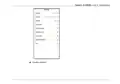
Go to Android/iOS Dynalink APP or WebGUI to enable QoS page and then specify maximum upload
and download bandwidth.
Dynalink APP (Android/iOS):

| General | Details |
|---|---|
| Name | Dynalink DL-WRX36 WiFi 6 AX3600 Router User Guide |
| Make | DynaLink |
| Language | English |
| Filetype | PDF (Download) |
| File size | 1.36 MB |
 (1 votes, average: 5.00 out of 5)
 Loading...
If you have any questions regarding Dynalink DL-WRX36 WiFi 6 AX3600 Router User Guide, please ask here and describe the problem in detail.

Dynalink AX3600 Stream WiFi Router User Guide


aparian A-DH485R/B Router User Guide

CastleNet EBM562 Mesh WiFi Router Installation Guide

SIERRA WIRELESS XR80 5G Cellular Router Instructions

NETGEAR NIGHTHAWK BE18000 Tri Band Wi-Fi 7 Router User Guide

ELTEC CYBOX RT 2-A Automotive Wireless Router Instructions

TP-Link Archer AX53 AX3000 Gigabit Wi-Fi 6 Router User Guide

KMC CONTROLS Conquest BAC-5051AE BACnet Router Instruction Manual

SAX1V1R Spectrum WiFi 6 Router User Guide: Troubleshoot & Personalize

ELPRO 645M-4 Cellular and WiFi IIoT Router Installation Guide

ASUS GT-AX11000 Pro ROG Rapture Tri-band Gaming Router User Guide