
Dynalink DL-WRX36 WiFi 6 AX3600 Router User Guide








DynalinkXDL-WRX36 | FAQ & Troubleshooting
Troubleshooting ........................................................................................................................................................................................57
Troubleshoot the router hardware............................................................................................................................................................................................... 57
Ping the router from your computer ............................................................................................................................................................................................ 57
Cannot connect to the Wi-Fi network .......................................................................................................................................................................................... 61
Why I cannot use login.dynalink to login to Dynalink WebGUI from my PC? But 192.168.216.1(default Router IP) can work? ................................................. 61
WebGUI ............................................................................................................................................................................................................................................. 62
Cannot access the Web User Interface to configure settings....................................................................................................................................................... 62
Access to the Internet ....................................................................................................................................................................................................................... 62
Cannot connect to the Internet.................................................................................................................................................................................................... 62
III. Wi-Fi Connectivity ............................................................................................................................................................................................................................. 64
Cannot find the 2.4/5GHz Wi-Fi network ..................................................................................................................................................................................... 64
Why I cannot connect my IoT device to Dynalink Wi-Fi? ............................................................................................................................................................. 64
What if my mobile phone and other IoT devices work fine with Dynalink Router, but my laptop cannot connect?................................................................... 65
How to fix the computer's wireless network card cannot find the wireless signal? .................................................................................................................... 65
Cannot access local network printer or file server by Wi-Fi......................................................................................................................................................... 66
IV. Dynalink APP & Google assistant ...................................................................................................................................................................................................... 67
Cannot find Dynalink registration E-mail...................................................................................................................................................................................... 67
Cannot control router via Google assistant .................................................................................................................................................................................. 67
What voice commands does the Google Assistant control Dynalink DL-WRX36 router support?.................................................................................................... 67
How to unbind my current account from Dynalink APP............................................................................................................................................................... 69
Why does the Google assistant fail?............................................................................................................................................................................................. 72
Why can I not register Dynalink account or bind a device through the Dynalink APP? ............................................................................................................... 72
Performance...................................................................................................................................................................................................................................... 72
Get the best Wi-Fi signal .............................................................................................................................................................................................................. 72
Surf the Internet faster................................................................................................................................................................................................................. 72
The MTU setting is too large or too small .................................................................................................................................................................................... 73
VI. Security.............................................................................................................................................................................................................................................. 74
Network security .......................................................................................................................................................................................................................... 74


| General | Details |
|---|---|
| Name | Dynalink DL-WRX36 WiFi 6 AX3600 Router User Guide |
| Make | DynaLink |
| Language | English |
| Filetype | PDF (Download) |
| File size | 1.36 MB |
 (1 votes, average: 5.00 out of 5)
 Loading...
If you have any questions regarding Dynalink DL-WRX36 WiFi 6 AX3600 Router User Guide, please ask here and describe the problem in detail.

Dynalink AX3600 Stream WiFi Router User Guide


Cudy WR3000E Gigabit Mesh Wi-Fi 6 Router Installation Guide

TP-Link AC1200 Dual Band Wi-Fi Router Installation Guide

TP-Link C201-V5 Wireless Dual Band Router User Guide

Edge-corE AS9947-36XKB AC Ethernet Switch and Router User Guide
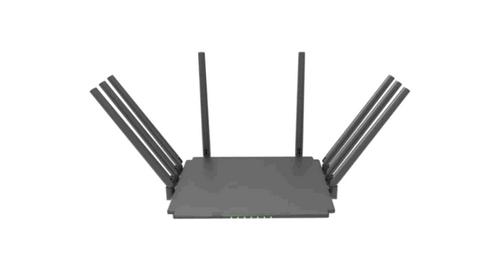
Guangdong Xintengda Communication Technology WR300N-XXX WiFi Router Instruction Manual

TP-Link AX1800 Wi-Fi 6 Gigabit Dual Band Wireless Router User Guide

TP-Link Archer MR600 4G+ Cat6 AC1200 Wireless Dual Band Gigabit Router Installation Guide

TP-Link Archer BE800 BE19000 Tri-Band Wi-Fi 7 Router Installation Guide

BT Smart Hub 3 Broadband Router User Guide

TP-Link Archer AX55 Wi-Fi 6 Router Installation Guide