
×
- 1. Dynalink Dl-wrx36 (Faq & Troubleshooting)
- 2. What Is Wi-fi 6? (Login, Password, Firmware And Reset → How To Reset Dl-wrx36 Router To Factory Default Settings? → How To Update The Routers Firmware To The Latest Version? → Does The Dynalink Router Support The Access Point (ap) / Bridge Mode? → What Is The Difference Between The Router And Access Point Mode? → Can Multiple Dl-wrx36s Establish A Mesh Network Connection?)
- 3. Configuratio (Dynalink App → Compatibility → How To Set Up Pptp Vpn Client On The Dynalink Router? → How To Set Up Openvpn Server On The Dynalink Router? → How To Set Up Openvpn Client On The Dynalink Router? → Can I Combine The 2.4 & 5 Ghz Bands To A Single Ssid On The Dynalink Wi-fi 6 Ax3600 Router?)
- 4. Troubleshooting (Webgui → Access To The Internet → Wi-fi Connectivity → Dynalink App & Google Assistant → Performance → Security)
- 5. Before You Buy (What Is Wi-fi 6? → What Is The Difference Between Wi-fi 6 And Wi-fi 5? → What Is Mu-mimo?)
- 6. Installation (Setup → Configuration → Troubleshooting → Faq → Wireless Characteristics)
- 7. 4ghz Vs 5ghz Frequency Characteristics (Ghz Channel Options And Interference → Qam Explanation)
- 8. Login,password,firmwareandreset (Password&timezone → Wi-fi6(802.11ax) → Quadratureamplitudemodulation(qam) → Ofdma(orthogonalfrequency-divisionmultipleaccess) → Routerorapcommunication → Simultaneoustransmissions)
- 9. What If I Forget My Login Password? (How To Reset Dl-wrx36 Router To Factory Default Settings?)
- 10. Factory Reset (Reset The Router To Default Via Webgui Or App → System Settings → Configuration & Reset → Reset To Default → Dynalink App)
- 11. Dynalink (Faq & Troubleshooting → Dynalink Webgui)
- 12. Firmware Update Importance (Firmware File Availability → Dual Image Mechanism → Online Fota Update)
- 13. Faq & Troubleshooting (Quick Installation Guide → User Guide → System Settings → Firmware)
- 14. Launch The Dynalink Ap (How To Update The Routers Firmware To The Latest Version → Dynalink Webgui)
- 15. Update To The Latest Firmware Version
- 16. Dynalink (Faq & Troubleshooting → Dynalink App → Check The Current Firmware Version)
- 17. Update To The Latest Firmware Version (What If I Cannot Connect To Dynalink Wi-fi Or Login To Webgui With Default Password On The Label?)
- 18. Features (Dhcp Normal Mode → Hardware Reset)
- 19. Dynalink Dl-wrx36 Installation Guide
- 20. Dynalink Router Setup (Dynalink Router Configuration → Dynalink Router Firmware Version → Access Point Mode Support → Bridge Mode Support → Faq & Troubleshooting)
- 21. Dynalink (Faq & Troubleshooting → Dynalink App)
- 22. Router Mode (by Default) (Access Point (bridge) Mode)
- 23. Dynalink Dl-wrx36 Installation (Dynalink Dl-wrx36 Configuration → Dynalink Dl-wrx36 Usb Support → Dynalink Dl-wrx36 Vlan Support → Dynalink Dl-wrx36 Mesh Network Support → Dynalink Dl-wrx36 Channel Bandwidth Support)
- 24. Configuration
- 25. Dynalink (Faq & Troubleshooting → Dynalink Webgui)
- 26. Dynalink Dl-wrx36 (Faq & Troubleshooting → Wake-on-lan Feature)
- 27. Installation (Setup → Configuration → Vpn Function)
- 28. Dynalink Wi-fi 6 Ax3600 Router Setup (Band-steering Function → Wi-fi Settings → App Configuration → Webgui Configuration)
- 29. Dynalink (Faq & Troubleshooting → Dynalink Webgui)
- 30. Lan Security
- 31. How To Set Up Pptp Vpn Client On The Dynalink Router? (Go To Webgui And See Security > Vpn > Vpn Client, Select Vpn Type To Pptp.)
- 32. Enter Username And Password (Enable Default Router → Apply Settings → Activate Vpn Tunnel)
- 33. Dynalink Dl-wrx36 Installation (Connection Status → Deactivate Vpn Tunnel)
- 34. How To Set Up Openvpn Server On The Dynalink Router? (Login With The Username And Password You Set Up For Your Router Account Via Webgui. → Go To Security > Vpn > Openvpnserver And Enable It. → Export The Openvpn Configuration To File (client.ovpn). → Select The Advanced Settings And Select Internet And Local Network.)
- 35. Modify Your Ovpn File Manually To Update Your Correct Ip Address. Use A Wordpad To Open The Exported Client.ovpn File, You Will See The Firs…
- 36. Faq & Troubleshooting (Replace Ip Address In Client.ovpn → Add User Name And Password For Login)
- 37. Your Dynalink Router Connects To A Modem In Most Cases. (Set Up Your Vpn Client On The Windows Pc. → From The Open Vpn Client, First Import The Openvpn Configuration File (client.ovpn).)
- 38. How To Set Up Openvpn Client On The Dynalink Router? (Setting Up Openvpn Client Is Much Simpler Than Setting Up The Openvpn Server. → Warning: You Need To Set Up The Openvpn Server First Before You Can Set Up Openvpn Client. → After You Set Up The Vpn Server, You Will Get A Ovpn File And A Set Of Login/password.)
- 39. Go To Webgui > Security > Vpn > Vpn Client (Select Vpn Type To Openvpn → Enter Username And Password If The Openvpn Server Use Username/password → Select Yes On Enable Default Router → Click Apply When Finished → Click Activate To Activate This Vpn Tunnel)
- 40. Dynalink Dl-wrx36 Installation Guide
- 41. Dynalink App (android / Ios) (Connected Devices → Wi-fi (wi-fi Devices) → Lan (lan Devices))
- 42. Dynalink Dl-wrx36 Installation/setup/configuration
- 43. Dynalink Webgui (Parental Control)
- 44. Client Acl
- 45. Dynalink App (Webgui → Registering Dynalink Account → Configuring Dynalink Wi-fi → Using Dynalink App Without Internet → Advanced Network Options)
- 46. Setup Dynalink Account (Configuring Dynalink Router → Internet Connection Issues → Using Dynalink App → Dns Settings For Dynalink Router)
- 47. Compatibility (Dynalink Router Support For Amazon Fire Tv Dongle On 5ghz → Dynalink Router Support For Nintendo Switch On 5ghz → Manual Selection Of 5ghz Wi-fi Channel → Disabling Band-steering Function)
- 48. Dynalink (Faq & Troubleshooting → Dynalink Webgui → Webgui > Network > Wi-fi > Band Steering)
- 49. Webgui (Network → Wi-fi → Radio → Advance Setting)
- 50. Dynalink (Faq & Troubleshooting → Dynalink Webgui)
- 51. Dynalink Dl-wrx36 Faq & Troubleshooting
- 52. If You Have A Centurylink Modem/router, You Can Connect Dynalink Router Wan Port To Centurylink Modem/routers Lan Port And Start To Enjoy Wi…
- 53. Dynalink Dl-wrx36 (Faq & Troubleshooting → Disable Wi-fi On Verizon 5g Gateway → Reboot Your Dynalink Router → Webgui > Network > Wi-fi > Radio)
- 54. Dynalink (Faq & Troubleshooting → Ghz → Does Dynalink Wi-fi Support At&t Xdsl?)
- 55. Dynalink Wi-fi Setup (Best Performance Tips → Change Dynalink Router Wan Mtu → Try Both Lan Ports → Disable Wi-fi On Tmo 5g Gateway → Use Different Wi-fi Channels)
- 56. Installation With Comcast Xfinity Internet (Troubleshooting Internet Connection Issues After Firmware Upgrade → Automatic Mtu Feature And Its Impact On Connectivity)
- 57. Faq & Troubleshooting (Led Indicator Issues → Firmware Upgrade Concerns → Internet Connection Detection → T-mobile Compatibility Issues)
- 58. Troubleshoot The Router Hardware (Ping The Router From Your Computer)
- 59. The Default Gateway Ip Of The Router Is 192.168.216.1 Type 'ping 192.168.216.1' And Then Press Enter. If The Connection Is Working, A Succes…
- 60. Dynalink Dl-wrx36 Faq & Troubleshooting
- 61. Dynalink Dl-wrx36 Installation Guide
- 62. Wi-fi Connection Quality (Verify Wi-fi Network Name (ssid) And Password → Using Dynalink Webgui)
- 63. Webgui (Access To The Internet)
- 64. Internet Connection Type (Mtu Value Configuration → Automatic Mtu Feature → Mtu Settings For Cable/dsl/fiber Users → Mtu Settings For 5gnr Home Internet Users)
- 65. Wi-fi Connectivity (Cannot Find The 2.4/5ghz Wi-fi Network → Why I Cannot Connect My Iot Device To Dynalink Wi-fi?)
- 66. Installation Of Drivers For Intel Wi-fi Adapters (Troubleshooting Wireless Connection Issues → Updating Intel Wireless Network Card Drivers)
- 67. Network Configuration (Wi-fi Settings → Ap Isolation Settings → Communication Between Devices)
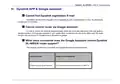
- 68. Dynalink App & Google Assistant (Cannot Find Dynalink Registration E-mail → Cannot Control Router Via Google Assistant → What Voice Commands Does The Google Assistant Control Dynalink Dl-wrx36 Router Support?)
- 69. Disable My Router Guest Network (Turn On My Router Led → Turn Off My Router Led → Is Guest Network Enabled? → Is Wi-fi Enabled? → Is Led Turned On?)
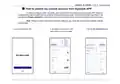
- 70. How To Unbind My Current Account From Dynalink App (Note: Please Be Aware That Once An Account Unbound, Your Router Will Back To Factory Default Settings Automatically. → Launch The Dynalink App. → Tap Burger Menu Button In The Upper Left Corner Of Home Page. → Tap The My Dynalink Devices.)
- 71. Dynalink (Faq & Troubleshooting → Remove From Account → Remove Button → Initialized Dynalink App Settings)
- 72. Faq & Troubleshooting
- 73. Upgrade Device Firmware (Register Dynalink Account → Bind Device Through Dynalink App → Best Wi-fi Performance → Router Location For Optimal Coverage)
- 74. Changing Network Frequency Band (Accessing The Internet And Throughput Issues → Adjusting Wan Mtu Settings → Understanding Mtu (maximum Transmission Unit))
- 75. Network Security (Dynalink App → System Settings)
- 76. Dynalink (Faq & Troubleshooting → Dynalink Webgui → Webgui > Network > Wi-fi > Basic)
- 77. Webgui > System Settings > Password & Timezone
- 78. Dynalink Dl-wrx36 Faq & Troubleshooting
×
Dynalink DL-WRX36 WiFi 6 AX3600 Router User Guide








DynalinkXDL-WRX36 | FAQ & Troubleshooting
Then replace the IP address in client.ovpn file with your public IP address
remote 192.168.1.10 1194 remote 150.117.254.146 1194
5. Add user name and password for login as below picture and write down the name and password.

| General | Details |
|---|---|
| Name | Dynalink DL-WRX36 WiFi 6 AX3600 Router User Guide |
| Make | DynaLink |
| Language | English |
| Filetype | PDF (Download) |
| File size | 1.36 MB |
 (1 votes, average: 5.00 out of 5)
 Loading...
If you have any questions regarding Dynalink DL-WRX36 WiFi 6 AX3600 Router User Guide, please ask here and describe the problem in detail.

Dynalink AX3600 Stream WiFi Router User Guide


TP-Link C5400X Wireless Router Installation Guide

REYEE RG-R4 1800M Gigabit Dual-Band Wi-Fi 6 Wireless Router User Manual

NETGEAR Nighthawk BE6500 BE5000 Dual Band Wi-Fi Router User Guide

prolink DL-7302 LTE CAT4 Wi-Fi Home Router Installation Guide

Cudy LT500 Outdoor 4G WiFi Router Installation Guide

DIGI EX50 5G Cellular Router Instruction Manual

TP-Link BE5000 Outdoor/ Mesh Wi-Fi 7 Router User Guide

inseego FX3100-1 Wavemaker 5G Router User Guide

NETGEAR LBR20 ORBI LTE Router Instructions

UBIQUITI AFi-HD Amplifi 4-Ports Home Wi-Fi System AFI HD Wireless Router User Guide
Table of Contents
- 1. Dynalink Dl-wrx36 - Faq & Troubleshooting →
- 2. What Is Wi-fi 6? - Login, Password, Firmware And Reset →
- 3. Configuratio - Dynalink App →
- 4. Troubleshooting - Webgui →
- 5. Before You Buy - What Is Wi-fi 6? →
- 6. Installation - Setup →
- 7. 4ghz Vs 5ghz Frequency Characteristics - Ghz Channel Options... →
- 8. Login,password,firmw... - Password&timezone →
- 9. What If I Forget My Login Password? - How To Reset Dl-wrx36 ... →
- 10. Factory Reset - Reset The Router To Default Via Webgui Or Ap... →
- 11. Dynalink - Faq & Troubleshooting →
- 12. Firmware Update Importance - Firmware File Availability →
- 13. Faq & Troubleshooting - Quick Installation Guide →
- 14. Launch The Dynalink Ap - How To Update The Routers Firmware ... →
- 15. Update To The Latest Firmware Version →
- 16. Dynalink - Faq & Troubleshooting →
- 17. Update To The Latest Firmware Version - What If I Cannot Con... →
- 18. Features - Dhcp Normal Mode →
- 19. Dynalink Dl-wrx36 Installation Guide →
- 20. Dynalink Router Setup - Dynalink Router Configuration →
- 21. Dynalink - Faq & Troubleshooting →
- 22. Router Mode (by Default) - Access Point (bridge) Mode →
- 23. Dynalink Dl-wrx36 Installation - Dynalink Dl-wrx36 Configura... →
- 24. Configuration →
- 25. Dynalink - Faq & Troubleshooting →
- 26. Dynalink Dl-wrx36 - Faq & Troubleshooting →
- 27. Installation - Setup →
- 28. Dynalink Wi-fi 6 Ax3600 Router Setup - Band-steering Functio... →
- 29. Dynalink - Faq & Troubleshooting →
- 30. Lan Security →
- 31. How To Set Up Pptp Vpn Client On The Dynalink Router? - Go T... →
- 32. Enter Username And Password - Enable Default Router →
- 33. Dynalink Dl-wrx36 Installation - Connection Status →
- 34. How To Set Up Openvpn Server On The Dynalink Router? - Login... →
- 35. Modify Your Ovpn File Manually To Update Your Correct Ip Add... →
- 36. Faq & Troubleshooting - Replace Ip Address In Client.ovpn →
- 37. Your Dynalink Router Connects To A Modem In Most Cases. - Se... →
- 38. How To Set Up Openvpn Client On The Dynalink Router? - Setti... →
- 39. Go To Webgui > Security > Vpn > Vpn Client - Select Vpn Type... →
- 40. Dynalink Dl-wrx36 Installation Guide →
- 41. Dynalink App (android / Ios) - Connected Devices →
- 42. Dynalink Dl-wrx36 Installation/setup/c... →
- 43. Dynalink Webgui - Parental Control →
- 44. Client Acl →
- 45. Dynalink App - Webgui →
- 46. Setup Dynalink Account - Configuring Dynalink Router →
- 47. Compatibility - Dynalink Router Support For Amazon Fire Tv D... →
- 48. Dynalink - Faq & Troubleshooting →
- 49. Webgui - Network →
- 50. Dynalink - Faq & Troubleshooting →
- 51. Dynalink Dl-wrx36 Faq & Troubleshooting →
- 52. If You Have A Centurylink Modem/router, You Can Connect Dyna... →
- 53. Dynalink Dl-wrx36 - Faq & Troubleshooting →
- 54. Dynalink - Faq & Troubleshooting →
- 55. Dynalink Wi-fi Setup - Best Performance Tips →
- 56. Installation With Comcast Xfinity Internet - Troubleshooting... →
- 57. Faq & Troubleshooting - Led Indicator Issues →
- 58. Troubleshoot The Router Hardware - Ping The Router From Your... →
- 59. The Default Gateway Ip Of The Router Is 192.168.216.1 Type '... →
- 60. Dynalink Dl-wrx36 Faq & Troubleshooting →
- 61. Dynalink Dl-wrx36 Installation Guide →
- 62. Wi-fi Connection Quality - Verify Wi-fi Network Name (ssid) ... →
- 63. Webgui - Access To The Internet →
- 64. Internet Connection Type - Mtu Value Configuration →
- 65. Wi-fi Connectivity - Cannot Find The 2.4/5ghz Wi-fi Network →
- 66. Installation Of Drivers For Intel Wi-fi Adapters - Troublesh... →
- 67. Network Configuration - Wi-fi Settings →
- 68. Dynalink App & Google Assistant - Cannot Find Dynalink Regis... →
- 69. Disable My Router Guest Network - Turn On My Router Led →
- 70. How To Unbind My Current Account From Dynalink App - Note: P... →
- 71. Dynalink - Faq & Troubleshooting →
- 72. Faq & Troubleshooting →
- 73. Upgrade Device Firmware - Register Dynalink Account →
- 74. Changing Network Frequency Band - Accessing The Internet And... →
- 75. Network Security - Dynalink App →
- 76. Dynalink - Faq & Troubleshooting →
- 77. Webgui > System Settings > Password & Timezone →
- 78. Dynalink Dl-wrx36 Faq & Troubleshooting →