
Dynalink DL-WRX36 WiFi 6 AX3600 Router User Guide








DynalinkXDL-WRX36 | FAQ & Troubleshooting
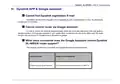
IV. Dynalink APP & Google assistant
Cannot find Dynalink registration E-mail
Sometimes the email from Dynalink will be classified as junk or advertisement E-mail. So please look
through your E-mail folder.
Cannot control router via Google assistant
In order to control the router by google assistant, follow the instruction described in the user guide 6.
Google assistant. If the google assistant in your mobile does not interact with the router. Make sure the email
account you use to log in to Google Home is the same as google.
What voice commands does the Google Assistant control Dynalink
DL-WRX36 router support?
The following are the voice commands and Google Assistant response contents:
Voice Commands
Google Assistant Response
Enable my router guest Network
Sure, enabling the guest network on DL-WRX 36.

| General | Details |
|---|---|
| Name | Dynalink DL-WRX36 WiFi 6 AX3600 Router User Guide |
| Make | DynaLink |
| Language | English |
| Filetype | PDF (Download) |
| File size | 1.36 MB |
 (1 votes, average: 5.00 out of 5)
 Loading...
If you have any questions regarding Dynalink DL-WRX36 WiFi 6 AX3600 Router User Guide, please ask here and describe the problem in detail.

Dynalink AX3600 Stream WiFi Router User Guide


UBIQUITI NETWORKS ER-12 10 Port Gigabit Router User Guide

Cudy LT500D Dual Band Unlocked 4G LTE Modem Router Installation Guide

tehnoteka AX3000 V2 TUF Gaming WiFi Router User Guide

eero V010001 Router User Guide

Cudy WR1300 Wi-Fi Mesh Router Instruction Manual

Tenda AC5 Wi-Fi 5 Router Installation Guide
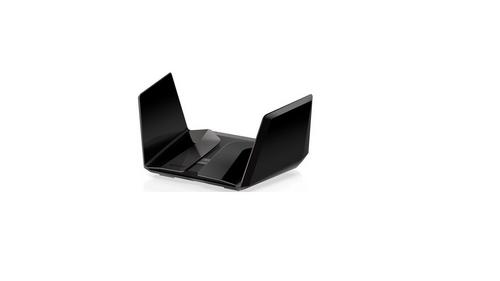
NETGEAR Nighthawk AXE11000 Tri-Band WiFi 6E Router RAXE500 User Manual

Ruijie RG-EG105GW All-in-One Wireless Router User Manual

POYNTING EPOYNT-4 Outdoor LTE-5G Antenna and Router Enclosure User Guide

airlive XG-XGS OLT MESH Router User Guide