
Home > UBIQUITI NETWORKS > UBIQUITI NETWORKS 2.4GHz Air Router User Guide
UBIQUITI NETWORKS 2.4GHz Air Router User Guide










AirRouter User Guide
Chapter 3: AirOS™
The AirRouter can act as DHCP server and use Network
Address Translation (Masquerading) feature which is
widely used by Access Points. NAT will act as the firewall
between LAN and WLAN networks. Additional firewall
settings can be configured for Layer 3 packet filtering
and access control in Router mode.
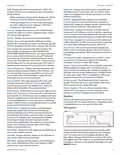
Network
The Network tab allows the administrator to setup bridge
or routing functionality. The IP configuration is required
for device management purposes. IP addresses can either
be retrieved from a DHCP server or configured manually.
Use the Network tab to configure the IP settings.
• SOHO Router SOHO (Small Office/Home Office) Router
is basically a derivation from Router mode. In SOHO
Router mode, the Main Ethernet port labeled <···>
functions as the WAN port. The WLAN and LAN ports
function as the local network (LAN). This is the default
operating mode of the AirRouter.
Disable Network This option can be used to disable the
WLAN, LAN or WAN interface. This setting should be used
with caution as no L2 or L3 connection can be established
through the disabled interface. It will be impossible to
access the AirRouter from the wireless/wired network
which is connected to the disabled interface. Disable WAN
is only applicable while operating in SOHO Router mode.
Bridge
In Bridge mode, the AirRouter forwards all network
management and data packets from one network
interface to the other without any intelligent routing. For
simple applications this provides an efficient and fully
transparent network solution. WLAN (wireless) and LAN
(Ethernet) interfaces belong to the same network segment
and share the same IP address space. WLAN and LAN
interfaces form the virtual bridge interface while acting as
the bridge ports. The bridge has assigned IP settings for
management purposes.
Network Role
The AirRouter can operate in Bridge, Router or SOHO Router
mode.
Network Mode Specify the operating network mode
for the device. There are three modes: Bridge, Router and
SOHO Router. The default setting for the AirRouter is SOHO
Router. The mode depends on the network topology
requirements:
Network Settings
Bridge IP Address The device can be set for static IP or
can be set to obtain an IP address from the DHCP server it
is connected to. One of the IP assignment modes must be
selected:
• Bridge In this mode the device will act as a transparent
bridge and will operate in Layer 2. There will be no
network segmentation and the broadcast domain will
be the same. Bridge mode will not block any broadcast
or multicast traffic. Additional firewall settings can
be configured for Layer 2 packet filtering and access
control in Bridge mode.
• DHCP Choose this option to assign the dynamic IP
address, Gateway and DNS address by the local DHCP
server.
- DHCP Fallback IP Enter the IP address for the
AirRouter to use if a DHCP server is not found.
• Router This operating mode can be configured in order
to operate in Layer 3 to perform routing and enable
network segmentation – wireless clients will be on a
different IP subnet. Router mode will block broadcasts
while it is not transparent.
- DHCP Fallback Netmask Enter the netmask for the
AirRouter to use if a DHCP server is not found.
The AirRouter supports Multicast packet pass-through
in Router mode.
Ubiquiti Networks, Inc.
13

| General | Details |
|---|---|
| Name | UBIQUITI NETWORKS 2.4GHz Air Router User Guide |
| Make | UBIQUITI NETWORKS |
| Language | English |
| Filetype | PDF (Download) |
| File size | 5.15 MB |
 (1 votes, average: 5.00 out of 5)
 Loading...
If you have any questions regarding UBIQUITI NETWORKS 2.4GHz Air Router User Guide, please ask here and describe the problem in detail.

UBIQUITI NETWORKS ER-12 10 Port Gigabit Router User Guide


SEI ROBOTICS SEI540 ATV STB + Wireless Router User Manual

Singtel XGSPON Optical Network Router Installation Guide

ASKEY RT5035W Google Fiber Wi-Fi 6E Router User Guide

CHIMA SAX3000 EasyMesh WiFi 6 Router Owner’s Manual

Tenda TX2 Pro Dual Band Gigabit WiFi 6 Router Owner’s Manual

cradlepoint CTR35 Wireless Router User Guide
VEVOR XBJHGYCYSDS643WCHV0 60 Inches 152.4cm Router User Guide

Firstnum C401 CPE Router User Manual

QNAP QMiroPlus-201W Router Installation Guide

TANGERINE BYO Router Instruction Manual