
Home > UBIQUITI NETWORKS > UBIQUITI NETWORKS 2.4GHz Air Router User Guide
UBIQUITI NETWORKS 2.4GHz Air Router User Guide










AirRouter User Guide
Chapter 3: AirOS™
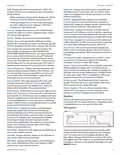
Port Forward
Log
When logging is enabled (Services > System Log > Enable
Log) this option lists all registered system events. By
default, logging isn’t enabled.
Lists active port forward entries in the PORTFORWARD
chain of the standard iptables nat table, while the device is
operating in Router mode.
The list can be refreshed using the Refresh button. Port
forwarding is enabled and configured on the Network tab.
Port forwarding allows you to connect to a specific service
such as an FTP server or Web server. Port Forwarding
creates a transparent tunnel through a firewall/NAT,
granting access from the WAN side to the particular
network service running on the LAN side.
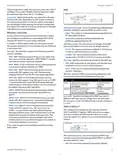
DHCP leases
Shows the current status of the leased IP addresses by
the device’s DHCP server. This option is available if DHCP
Server is enabled while the device is operating in Router
mode.
Clear Deletes all entries in the system log.
Refresh The System Log content is updated.
Wireless
The Wireless Page contains everything needed by the
operator to setup the wireless part of the link. This
includes regulatory requirements, SSID, channel and
frequency settings, device mode, data rates, and wireless
security.
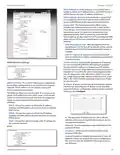
MAC Address Displays the client’s MAC address, which is
connected to the Access Point.
IP Address Displays the client’s IP address leased by the
device’s DHCP server.
Remaining Lease Time Shows for how long the leased
IP address will be valid and reserved for particular DHCP
client.
Hostname Displays the device name (hostname) of the
client receiving an IP lease.
Interface Name Displays the interface to which the
specific MAC address is connected.
The list can be updated using the Refresh button.
More information is provided in the Wireless section.
Basic Wireless Settings
The general wireless settings, such as wireless mode,
wireless network name(SSID), country code, 802.11 mode,
output power and data rates can be configured in this
section.
Wireless Mode Allows you to specify the operating
mode of the device. The mode depends on the network
topology requirements. There are 4 operating modes
supported on the AirRouter:
Ubiquiti Networks, Inc.
8

| General | Details |
|---|---|
| Name | UBIQUITI NETWORKS 2.4GHz Air Router User Guide |
| Make | UBIQUITI NETWORKS |
| Language | English |
| Filetype | PDF (Download) |
| File size | 5.15 MB |
 (1 votes, average: 5.00 out of 5)
 Loading...
If you have any questions regarding UBIQUITI NETWORKS 2.4GHz Air Router User Guide, please ask here and describe the problem in detail.

UBIQUITI NETWORKS ER-12 10 Port Gigabit Router User Guide


xunison Hub M50 Mesh Tower High Performance Router User Guide

TELTONIKA RUT950 CAT4 LTE Router User Guide

DrayTek V4.3.2.5 Vigor1000B Multi WAN Security Router User Guide

MAXVIEW Roam 5G WiFi Router User Guide

ASUS RT-ACRH18 Dual band AC WiFi Router User Guide

TP-Link RJ45 Modem Router Owner’s Manual

GL iNet GL-BE9300 Wi-Fi 7 Router User Manual

NRadio Technologies CC 4G LTE Router Installation Guide

DIGITAL DEEP SEA 5G Xtream 5G/4G Router Instruction Manual

YINUO-LINK Y6 300Mbps WiFi LTE Router Installation Guide