
Home > UBIQUITI NETWORKS > UBIQUITI NETWORKS 2.4GHz Air Router User Guide
UBIQUITI NETWORKS 2.4GHz Air Router User Guide










AirRouter User Guide
Chapter 3: AirOS™
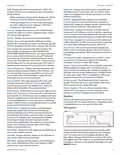
Each page also contains network administration and
monitoring tools:
• Align Antenna
• Site Survey
• Ping
Chapter 3:
AirOS™
AirOS™ is an advanced operating system that is capable of
powerful wireless and routing features. AirOS is built upon
a simple and intuitive user interface. AirOS allows you to
maximize the wireless performance of Ubiquiti products
which are based on IEEE 802.11n.
• Traceroute
• Speed Test
• AirView
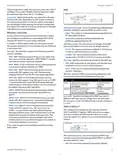
To access the interface, perform the following steps:
Main
in the address field and press enter (PC) or return (Mac).
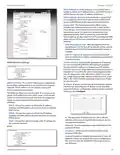
The Main tab displays a summary of the link status
information, current values of the basic configuration
settings (depending on the operating mode), network
settings and information, and traffic statistics.
2. The login screen will appear. Enter ubnt in the
Username and Password fields and click Login.
Navigation
The interface contains six main tabs:
• Main The Main tab displays AirRouter status
information and provides network monitoring links.
Status
• Wireless The Wireless tab allows you to configure
the wireless mode, the basic wireless settings and the
wireless security settings for the AirRouter.
• Network The Network tab covers the configuration of
the network operating mode, IP settings, packet filtering
routines and network services.
• Advanced The Advanced tab settings are available
for additional wireless interface controls. The AirMax
feature and advanced wireless settings can be
configured in this tab. The Advanced tab also includes
advanced Ethernet and traffic shaping settings.
Device Name Displays the customizable name (ID) of the
AirRouter. The Device Name (Host Name) is displayed in
registration screens and discovery tools.
• Services The Services tab covers the configuration of
system management services like SNMP, NTP, System
Log, Ping Watchdog and SSH/Telnet server.
Network Mode Displays the network mode that the
AirRouter is operating in. There are three modes available:
Bridge, Router, and SOHO router. SOHO router is the
default setting. This setting is configured on the Network
tab.
• System The System tab contains controls for system
maintenance routines, administrator account
management, device customization, firmware upgrade
and configuration backup. The interface language can
also be selected here.
Wireless Mode Displays the radio interface operating
mode. Access Point (or Access Point WDS) and Station (or
Station WDS) operating modes can be set depending on
the network topology requirements.
Ubiquiti Networks, Inc.
4

| General | Details |
|---|---|
| Name | UBIQUITI NETWORKS 2.4GHz Air Router User Guide |
| Make | UBIQUITI NETWORKS |
| Language | English |
| Filetype | PDF (Download) |
| File size | 5.15 MB |
 (1 votes, average: 5.00 out of 5)
 Loading...
If you have any questions regarding UBIQUITI NETWORKS 2.4GHz Air Router User Guide, please ask here and describe the problem in detail.

UBIQUITI NETWORKS ER-12 10 Port Gigabit Router User Guide


Milesight UR32S CCTV Router Owner’s Manual

Ruijie RG-EG105GW-X Wi-Fi High Performance Router User Manual

TP-Link AX6000 Stream Wi-Fi 6 Router Installation Guide

Taiko Audio Extreme Router User Guide

D-Link DIR-882 EXO AC2600 MU-MIMO Wifi Router Installation Guide

Cudy LT700 LTE Router Installation Guide

Ruijie Reyee RG-EW3200GX Pro Wi-Fi 6 Dual-band Gigabit Mesh Router User Guide

GUDE OF 1200 E Router Instructions

inhandgo CR202 InHand Networks Portable 4G Router User Manual

ASUS RT-BE Series Dual Band Wi-Fi Router User Guide