
Home > UBIQUITI NETWORKS > UBIQUITI NETWORKS 2.4GHz Air Router User Guide
UBIQUITI NETWORKS 2.4GHz Air Router User Guide


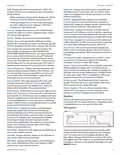


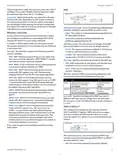


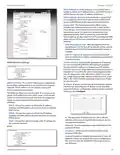




AirRouter User Guide
Chapter 2: Installation
Chapter 2:
in the address field and press enter (PC) or return (Mac).
Installation
Hardware Installation
To install the AirRouter, perform the following steps:
1. Connect the power adapter to the port labeled Power
on the AirRouter. Connect the other end to of the
power adapter to a power outlet.
Note: Your computer needs to be on the
192.168.1.x subnet. If you have DHCP
enabled on your Ethernet adapter, it should
receive an address automatically. If not, you
will need to set a static IP address in the
192.168.1.2 - 192.168.1.254 range.
5. The login screen will appear. Enter ubnt in the
Username and Password fields and click Login.
6. The AirOS interface will appear. Go to the Wireless tab.
2. Connect an Ethernet cable to Ethernet port 1.
Wireless tab
3. Connect the other end of the Ethernet cable to your
computer.
Ubiquiti Networks, Inc.
2

| General | Details |
|---|---|
| Name | UBIQUITI NETWORKS 2.4GHz Air Router User Guide |
| Make | UBIQUITI NETWORKS |
| Language | English |
| Filetype | PDF (Download) |
| File size | 5.15 MB |
 (1 votes, average: 5.00 out of 5)
 Loading...
If you have any questions regarding UBIQUITI NETWORKS 2.4GHz Air Router User Guide, please ask here and describe the problem in detail.

UBIQUITI NETWORKS ER-12 10 Port Gigabit Router User Guide


TP-Link BE450 Dual Band Wi-Fi 7 Router Installation Guide

NETGEAR RBR20 Orbi Mesh WiFi Router User Guide

Firstnum C401 CPE Router User Manual

D-Link N300 EAGLE PRO AI N300 4G Router User Guide

TP-Link TL-WR846N 300Mbps Wireless Router Instruction Manual

Woodpeckers REV033122 Multi Router Instructions

LINOVISION IOT-R32W Rugged and Versatile Cellular Router Instructions

UfiSpace S9500-30XS Gateway Router Installation Guide

Cudy R700 Gigabit Multi-WAN VPN Router Installation Guide

ASUS GT-AX11000 Pro ROG Rapture Pro Tri-band Gaming Router User Guide