
Home > UBIQUITI NETWORKS > UBIQUITI NETWORKS 2.4GHz Air Router User Guide
UBIQUITI NETWORKS 2.4GHz Air Router User Guide










AirRouter User Guide
Chapter 3: AirOS™
• Netmask This is used to define the device IP
LAN Network Settings
classification for the chosen IP address range.
255.255.255.0 is a typical netmask value for Class C
networks, which support IP address range 192.0.0.x to
223.255.255.x. A Class C network Netmask uses 24 bits
to identify the network (alternative notation “/24”) and 8
bits to identity the host.
• Lease Time The IP addresses given out by the DHCP
server will only be valid for the duration specified
by the lease time. Increasing the time ensures client
operation without interruption, but could introduce
potential conflicts. Lowering the lease time will avoid
potential address conflicts, but might cause more slight
interruptions to the client while it will acquire new IP
addresses from the DHCP server. The time is expressed
in seconds.
IP Address This is the IP address to be represented by
the LAN (including WLAN) interface which is connected
to the internal network. This IP will be used for the routing
of the internal network (it will be the Gateway IP for all
the devices connected on the internal network). This IP
address is used for the management of the AirRouter.
Enable DNS Proxy The DNS Proxy forwards the Domain
Name System requests from the hosts which reside in
the internal network to the DNS server while AirRouter
is operating in SOHO Router mode. A valid Primary DNS
Server IP needs to be specified for DNS Proxy functionality.
The internal network interface IP of the AirRouter should
be specified as the DNS server in the host configuration
in order for the DNS Proxy to be able to get DNS requests
and translate domain names to IP addresses afterwards.
Netmask This is used to define the device IP classification
for the chosen IP address range. 255.255.255.0 is a typical
netmask value for Class C networks, which support
IP address range 192.0.0.x to 223.255.255.x. A Class C
network Netmask uses 24 bits to identify the network
(alternative notation “/24”) and 8 bits to identity the host.
Enable NAT Network Address Translation (NAT) enables
packets to be sent from the external network (WAN) to the
local interface IP address and then sub-routed to other
client devices residing on the local network while the
AirRouter is operating in Access Point or Access Point WDS
wireless mode.
Port Forwarding Port forwarding allows specific ports of
the hosts residing in the internal network to be forwarded
to the external network (WAN). This is useful for a number
of applications such as FTP servers, VoIP, gaming, etc.
where different host systems need to be seen using a
single common IP address/port.
Enable NAT Protocol While NAT is enabled, data packets
could be modified in order to allow pass-through to the
Router. To avoid packets modification of some specific
packets, like: SIP, PPTP, FTP, RTSP; uncheck the respective
checkbox.
Port Forwarding rules can be set in the Port Forwarding
window, which is opened by enabling Port Forwarding
and then clicking Configure.
NAT is implemented using the masquerade type firewall
rules. NAT firewall entries are stored in the iptables nat
table, while the device is operating in Router mode. Please
refer to the iptables tutorial for detailed description of the
NAT functionality in Router mode.
Static routes should be specified in order for the packets
to pass-through the AirRouter if NAT is disabled while
operating in SOHO Router network mode.
Enable DHCP Server Dynamic Host Configuration
Protocol (DHCP) Server assigns IP addresses to clients
connected to the wireless interface and LAN interface
while the AirRouter is operating in Access Point or Access
Point WDS wireless mode. IP addresses are assigned
to clients that connect to the LAN interface while the
AirRouter is operating in Station or Station WDS mode.
• Range Start/End This range determines the IP
addresses given out by the DHCP server to client
devices on the internal network which use dynamic IP
configuration.
Port Forwarding entries can be specified by using the
following criteria:
• Private IP The IP of the host which is connected to the
internal network and needs to be accessible from the
external network.
Ubiquiti Networks, Inc.
23

| General | Details |
|---|---|
| Name | UBIQUITI NETWORKS 2.4GHz Air Router User Guide |
| Make | UBIQUITI NETWORKS |
| Language | English |
| Filetype | PDF (Download) |
| File size | 5.15 MB |
 (1 votes, average: 5.00 out of 5)
 Loading...
If you have any questions regarding UBIQUITI NETWORKS 2.4GHz Air Router User Guide, please ask here and describe the problem in detail.

UBIQUITI NETWORKS ER-12 10 Port Gigabit Router User Guide


aparian A-CNTR ControlNet Router Module User Guide

westermo MRD-455-NA Cellular Router User Guide

D-Link EXO AX AX1800 Wi-Fi Router User Guide
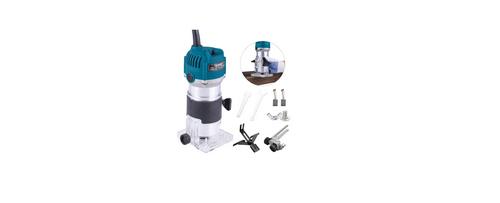
AKYPACH A2 Wood Router Instruction Manual

DrayTek 2136axx Multi Gigabit Ethernet Router Owner’s Manual

Tenda F9 Wireless Router Installation Guide

ASUS RT-AX88U Pro AX6000 Dual Band Wi-Fi Router User Guide

Inseego FX2000 5G Router User Guide

HORIZON HZ51 5G Wi-Fi 6 Router User Guide

eero V010001 Router User Guide