
Home > UBIQUITI NETWORKS > UBIQUITI NETWORKS 2.4GHz Air Router User Guide
UBIQUITI NETWORKS 2.4GHz Air Router User Guide










AirRouter User Guide
Chapter 3: AirOS™
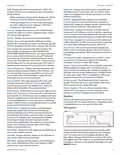
• Src Port The source port of the TCP/UDP packet
(specified within the packet header), usually it is the port
of the host system application which sends the packets.
For each entry you must specify a valid Target Network IP,
Netmask, Gateway IP, and optionally a comment. Select
On to enable the rule. Click Save to save your entries or
Cancel to discard them.
• Destination IP/mask The destination IP of the packet
(specified within the packet header), usually it is the IP
of the system which the packet is addressed to.
Advanced
The Advanced tab handles advanced routing and wireless
settings. The advanced wireless settings should be used
by technically advanced users who have a sufficient
knowledge about wireless LAN technology. These settings
should not be changed unless you know the effect the
changes will have on your AirRouter.
• Dst Port The destination port of the TCP/UDP packet
(specified within the packet header), usually it is the
port of the host system application which the packet is
addressed to.
• Comment Field used to enter a brief description of the
firewall entry.
• On Enables or disables the effect of the particular
firewall entry. All the added firewall entries are saved in
the system configuration file, however only the enabled
firewall entries will be active during AirRouter operation.
• Not Can be used for inverting the Source IP/mask,
Source Port, Destination IP/mask and Destination Port
filtering criteria (i.e. if not is enabled for the specified
Destination Port value 443, the filtering criteria will be
applied to all the packets sent to any Destination Port
except the 443 which is commonly used by HTTPS).
Firewall entries can be saved by clicking Save or discarded
by clicking Cancel in the Firewall configuration window.
All active firewall entries are stored in the FIREWALL chain
of the iptables filter table, while the device is operating
in Router mode. Please refer to the iptables tutorial for
detailed description of the firewall functionality in Router
mode.
Advanced Wireless Settings
The 802.11n data rates include MCS0, MCS1, MCS2, MCS3,
MCS4, MCS5, MCS6, MCS7 for 1x1 chain devices and MCS8,
MCS9, MCS10, MCS11, MCS12, MCS13, MCS, MCS15 for
2x2 chains devices. The ACK timeout has a critical impact
on performance in 802.11n outdoor links.
Click Change to save the changes made on the Network
tab.
Static Routes
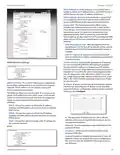
In this section you can manually add static routing rules to
the System Routing Table, this allows you to specify that a
specific target IP address (es) passes through a determined
gateway. Click Configure to add an entry.
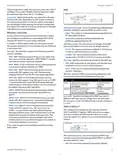
RTS Threshold Determines the packet size of a
transmission and, through the use of an access point,
helps control traffic flow. The range is 0-2346 bytes, or
word “off”. The default value is 2346 which means that RTS
is disabled.
RTS/CTS (Request to Send/Clear to Send) are the
mechanisms used by the 802.11 wireless networking
protocol to reduce frame collisions introduced by the
hidden terminal problem. RTS/CTS packet size threshold is
0-2346 bytes. If the packet size the node wants to transmit
is larger than the threshold, the RTS/CTS handshake
gets triggered. If the packet size is equal to or less than
threshold the data frame gets sent immediately.
Ubiquiti Networks, Inc.
25

| General | Details |
|---|---|
| Name | UBIQUITI NETWORKS 2.4GHz Air Router User Guide |
| Make | UBIQUITI NETWORKS |
| Language | English |
| Filetype | PDF (Download) |
| File size | 5.15 MB |
 (1 votes, average: 5.00 out of 5)
 Loading...
If you have any questions regarding UBIQUITI NETWORKS 2.4GHz Air Router User Guide, please ask here and describe the problem in detail.

UBIQUITI NETWORKS ER-12 10 Port Gigabit Router User Guide


TP-Link AX23 AX1800 Dual Band WiFi 6 Router User Manual

PoEWit R10 Preconfiguration Enterprise Class Router User Manual

ELTEC CYBOX RT 2-A Automotive Wireless Router Instructions

GL iNet GL-XE3000NR Puli AX 5G NR Wi-Fi 6 Router User Guide

ASUS RT-AX82U AX5400 Dual Band WiFi Router User Guide

NETGEAR MR90 Nighthawk Tri-band Mesh Wi-Fi 6E Router Owner’s Manual

NRadio Technologies CC 4G LTE Router Installation Guide

verizon CR1000 Access Point Router Instructions

RV Wi-Fi 2024v1 DishyDock Router User Guide

ASUS ExpertWiFi EBR63 Wireless AX3000 Dual-Band Router User Guide