
TRENDNET AX1800 Dual Band Wifi 6 Gigabit Dual Wan VPN SMB Router User Guide








TEW-929DRU
TRENDnet User’s Guide
If following the 802.1Q VLAN configuration example, a managed/web smart switch with
802.1Q VLAN support can be connected and pass VLAN 50 traffic between the router
and switch and 2.4GHz wireless SSID. Any computers or devices connecting to the
untagged VLAN ports (PVID: 50) on the managed/web smart will obtain
7. Under DHCP Server, click the Mode drop-down list and select Enabled to enable the
DHCP server on the VLAN. Click Apply to save and commit the changes.
192.168.50.x/255.255.255.0 address settings and use the VLAN 50 IP interface
192.168.50.1 as the Internet gateway and gateway to other local IP subnets. Any
wireless computers or devices connecting to the 2.4GHz wireless SSID will also obtain
192.168.50.x/255.255.255.0 address settings while connecting to 5GHz1 or 5GHz2 SSIDs
will remain on the LAN network. Additional VLANs can be created on the router and
switch in which 802.1Q VLAN traffic can pass through the same single 802.1Q VLAN
tag/trunk link. Multiple SSIDs will appear in this section when enabled and configured.
Guest network SSID does not apply.
Example: In the example below, we will enable the DHCP server on VLAN 50 and leave IP
address range and lease defaults. This will assign a DHCP IP range of 101-199 to ensure
any devices connected to this VLAN obtain IP address information via DHCP.
Below is a reference of the additional VLAN settings if you choose to make other
configuration changes to these sections.
•
•
VID – The VLAN ID assigned to a specific VLAN.
Ports 1-3 – Configure port VLAN membership settings.
o
Untagged – Default setting. Sets port membership as untagged and
allows connectivity to network devices such as computers. The router
will use the internal port VLAN ID (PVID) to forward VLAN traffic
accordingly to these ports based on their untagged VLAN membership.
Tagged – Sets port membership as tagged and used for VLAN tag or
trunk links to other VLAN aware devices such as managed switches or
access points.
8. Under Reassign SSID to VLAN, next to the SSID you would like to assign the new VLAN
ID, click the Network/VID drop-down list and select the VLAN ID. Click Apply to save
and commit the changes.
o
o
Off – Removes port membership from a specific VLAN.
© Copyright 2023 TRENDnet. All Rights Reserved.
20

| General | Details |
|---|---|
| Name | TRENDNET AX1800 Dual Band Wifi 6 Gigabit Dual Wan VPN SMB Router User Guide |
| Make | TRENDnet |
| Language | English |
| Filetype | PDF (Download) |
| File size | 2.5 MB |
 (1 votes, average: 5.00 out of 5)
 Loading...
If you have any questions regarding TRENDNET AX1800 Dual Band Wifi 6 Gigabit Dual Wan VPN SMB Router User Guide, please ask here and describe the problem in detail.

TRENDnet TEW-929DRU Dual Band Wireless Gigabit Dual WAN VPN SMB Router Installation Guide


NETGEAR RAX5 Model AX1600 WiFi 6 Router User Guide

TP-Link Archer MR600 4G+ Cat6 AC1200 Wireless Dual Band Gigabit Router Installation Guide

ASUS RT-BE96U BE19000 Tri Band WiFi Router User Guide

Ruijie RG-EG105GW All-in-One Wireless Router User Manual

TP-Link TL-WR3002X Wi-Fi 6 Portable Router Installation Guide

LOGIC ML8 4G MiFi Router User Manual

Tenda 4G03 Pro Wi-Fi LTE Router Installation Guide

Cudy GP1200V xPON VoIP Wi-Fi Router Installation Guide
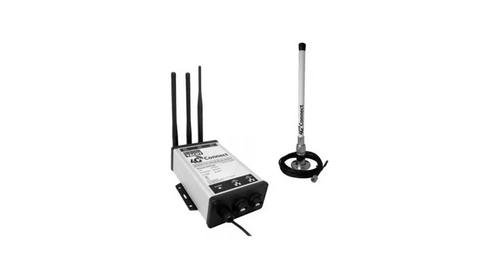
DIGITAL DEPP SEA 4GXtream Premium LTE Internet Access Router Instruction Manual

PROCEND M331 Cellular Router Installation Guide