
TRENDNET AX1800 Dual Band Wifi 6 Gigabit Dual Wan VPN SMB Router User Guide








TEW-929DRU
TRENDnet User’s Guide
You can check the current routing table under Status > Routes under Active IPv6-
Routes.
Dynamic routing protocols
Network > Routing > RIP
You may want set up your router to route computers or devices on your network to
other local networks through other routers. Generally, different networks can be
determined by the IP addressing assigned to those networks. Generally speaking and for
the case of an example, your network may have 192.168.10.x IP addressing and another
network may have 192.168.20.x IP addressing and because the IP addressing of these
two networks are different, they are separate networks. In order to communicate
between the two separate networks, static routing needs to be configured. Below is an
example diagram where routing is needed for devices and computers on your network
to access the other network. If you have other routing devices that support dynamic
routing protocol, you can enable these routing protocols on your router to learn and
automatically generate the routes needed between these networks.
Routing Information Protocol (RIP)
Network > Routing > RIP
• RIP enable: Check the option to enable RIP on the specified interface.
• protocols and redistribute the routing information using OSPF protocol.
• Send version – Select the RIP protocol version to send.
• Receive version – Select the RIP protocol version to receive.
• Key Authentication – Enables MD5 authentication on all RIP messages sent and
received.
on page 6).
2. Click on Network, click on Routing, and click on the RIP tab.
• Key String – If authentication is enabled, enter the authentication key
string/password to use for RIP messages sent and received.
• Plain text password – This option will set the password to be send in clear text
instead of using the MD5 hash. This setting is not recommended.
3. Review the RIP Routing section. To save changes to this section, click Apply to
command save your changes.
• RIP enable: Check the option to enable the RIP dynamic routing protocol globally
on the router.
You can check the current routing table under Status > Routes under Active IPv6-
Routes.
In the Overview table, you can enable and configure RIP for each interface by clicking
Edit next to the interface.
© Copyright 2023 TRENDnet. All Rights Reserved.
23

| General | Details |
|---|---|
| Name | TRENDNET AX1800 Dual Band Wifi 6 Gigabit Dual Wan VPN SMB Router User Guide |
| Make | TRENDnet |
| Language | English |
| Filetype | PDF (Download) |
| File size | 2.5 MB |
 (1 votes, average: 5.00 out of 5)
 Loading...
If you have any questions regarding TRENDNET AX1800 Dual Band Wifi 6 Gigabit Dual Wan VPN SMB Router User Guide, please ask here and describe the problem in detail.

TRENDnet TEW-929DRU Dual Band Wireless Gigabit Dual WAN VPN SMB Router Installation Guide


ExpressVPN AXG1800 Wi-Fi 6 VPN Router User Manual

MOFI5500 AdvancedHigh Performance Router User Manual

wildanet Adtran Broadband Router User Guide

HiKOKI M12V2 Variable Speed Router Instruction Manual

TP-Link AC1200 Wireless Dual Band Full Gigabit Wi-Fi Router Instructions

JUNIPER SSR1400 Session Smart Router User Guide

TP-Link Archer NX600 5G CPE Router Installation Guide

TP-Link Deco X20 Router Installation Guide

NET MODULE NB1601 Router User Manual
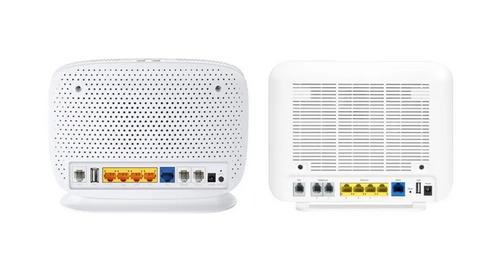
more FTTP BYO Router Installation Guide